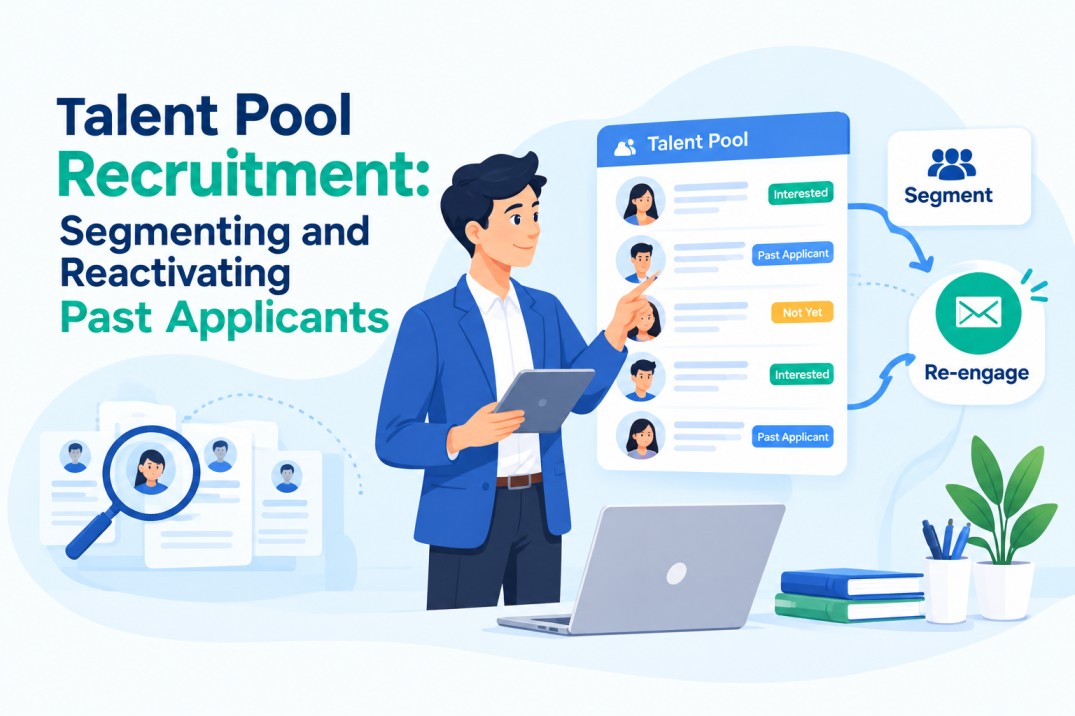
Talent Pool Recruitment: Segmenting and Reactivating Past Applicants
According to SHRM’s 2025 benchmarking survey, the average cost per hire in the US sits at $5,475 for non-executive roles.
Most of that cost goes toward sourcing candidates from scratch: job board fees, recruiter hours, and screening time spent on people the company has never met before.
Talent pool recruitment flips that equation. Instead of starting a new search for every open role, recruiters build and reuse a database of past applicants, near-miss candidates, and people who showed genuine interest earlier.
When done well, this approach cuts sourcing costs and shortens hiring timelines because much of the qualification work is already done.
The catch: most talent pools sit unused.
Candidates get added, then forgotten. Without segmentation and a system for reactivation, a talent pool becomes a graveyard of names rather than a working recruiting asset.
What Is Talent Pool Recruitment
Talent pool recruitment is the practice of maintaining a database of previously sourced or previously applied candidates, then tapping that database first whenever a new role opens, before starting external sourcing.
This includes:
- Candidates who applied but didn’t get the job (often called silver medalists)
- Candidates sourced but never formally interviewed
- Past employees or contractors open to returning
- Candidates who reached out on their own but had no matching role at the time
A talent pool differs from a talent pipeline in one meaningful way. A pipeline is usually built with a specific future role in mind. A talent pool is broader and less time-bound, meant to hold candidates across multiple roles and functions until a fit appears.
Why Most Talent Pools Go Unused
1. No Segmentation Structure
When every candidate lands in one unsorted list, finding the right person for a new opening takes as long as sourcing fresh. Recruiters skip the pool entirely and go external instead, because searching an unsegmented list isn’t faster than starting over.
2. Stale or Incomplete Candidate Data
Contact details go out of date. Resumes stop reflecting a candidate’s current skills. Without periodic updates, a talent pool quickly loses accuracy, and outreach based on old data damages the candidate’s impression of the company.
3. No Trigger to Revisit the Pool
Most hiring workflows focus on new applications, not the pool. Unless there’s a built-in step that checks the pool before posting a job, recruiters default to old habits and go straight to job boards.
4. Manual Tracking Instead of a Real System
Spreadsheets don’t scale. Once a talent pool crosses a few hundred candidates, manual tagging and searching stop being practical, and the pool turns into dead weight rather than a resource.
How to Segment a Talent Pool Properly
Segmentation is what makes a talent pool searchable and usable months after candidates enter it. A good structure sorts candidates along a few clear lines:
1. By Role and Function
Group candidates under the department or job family they applied for or match: engineering, sales, operations, design, and so on. This is the first filter recruiters reach for when a new requisition lands.
2. By Seniority Level
Junior, mid-level, and senior candidates need different outreach and different roles matched to them. Mixing seniority levels in one segment makes filtering slower later.
3. By Recency of Contact
Candidates active in the last 90 days behave differently from candidates untouched for a year. Recency segments help recruiters decide who needs a light re-engagement touch versus who needs a full re-qualification before outreach.
4. By Interview Outcome
Someone rejected for a skills gap needs a different re-engagement path through skill based hiring than someone rejected purely because another finalist was chosen. Tagging by outcome stops recruiters from re-pitching a role to someone who was never a real fit.
5. By Candidate Intent
Some candidates explicitly said they’re open to future roles. Others simply applied once and went quiet. Treating these two groups the same way in outreach usually backfires.
Tools built around a searchable candidate database make this kind of tagging possible without manual spreadsheet work, since filters can pull a segment in seconds instead of hours.
Candidate Relationship Management Systems: The Backbone of Talent Pool Recruitment
An ATS alone tracks candidates through a single hiring process. A candidate relationship management system does more: it treats candidates like ongoing relationships rather than one-time applicants.
This distinction matters for talent pool recruitment specifically. A candidate relationship management system typically adds:
- Tagging that persists across multiple hiring cycles, not just the one a candidate originally applied to
- Automated triggers that surface a candidate when a new opening matches their profile
- Activity history showing every touchpoint, from application to interview to any past outreach
- Segmentation views built for searching, not just tracking status
Without this layer, recruiters end up rebuilding candidate context from memory every time a role reopens, which defeats the point of keeping a pool at all.
How to Reactivate Past Applicants
1. Personalize the Outreach by Segment
A generic “we have new openings” email performs worse than outreach built around the segment a candidate falls into. A near-miss candidate for a specific role responds differently to a message referencing that exact near-miss than to a mass email.
2. Time Reactivation Around Matching Openings
Reactivation works best when tied directly to a live requisition that fits the candidate’s profile, not sent on a random schedule. This is where candidate tracking software with automated matching earns its cost, since it flags fits the moment a new job is posted.
3. Use Automated Triggers, Not Manual Pulls
Setting a rule (for example, “notify me when a candidate tagged mid-level engineering matches an open role”) removes the dependency on a recruiter remembering to check the pool manually.
4. Follow a Simple Reactivation Sequence
A short sequence works better than a single email:
- A light “checking in” message referencing their earlier application
- A specific role match, only if one genuinely fits
- A short window to confirm interest before moving forward with active candidates
Keep the tone low-pressure. Candidates who feel pressured into a role they’re only half interested in tend to drop out mid-process. Well-structured recruitment email templates built for each pipeline stage make this sequence easier to run consistently across every reactivation.
Candidate Database Management Best Practices
-
Run Periodic Data Audits
Set a recurring schedule (quarterly works for most teams) to clean out dead contact details, flag candidates who no longer respond, and update skill tags based on new information.
-
Handle Consent and Compliance Properly
Candidates need a clear way to opt out of ongoing communication, and their data needs to be stored under proper retention rules. This isn’t optional in most regions, and getting it wrong creates legal exposure well beyond a bad candidate experience. A closer look at candidate database compliance covers the specific rules worth building into a reactivation workflow.
-
Build a Consistent Tagging Structure
Decide on a fixed set of tags (role, skill, location, seniority, status) before scaling the pool. Retrofitting tags onto thousands of untagged candidates later takes far longer than setting the structure up front.
Measuring the ROI of Talent Pool Recruitment
A talent pool earns its place in the recruiting stack only if it’s tracked against real numbers:
- Time-to-hire: Compare fill time for roles sourced from the pool against roles sourced fresh
- Cost-per-hire: Reactivated candidates typically cost a fraction of a fresh search, since sourcing and initial screening are already done
- Retention: Candidates re-engaged after a genuine earlier interest often stay longer, since they chose the company on the second attempt rather than settling for it
Recruiters who don’t track these numbers tend to underestimate how much a well-run talent pool actually saves, and the pool quietly falls out of use again.
How Hirium Supports Talent Pool Recruitment
Hirium candidate profile management tools handle the segmentation, tagging, and reactivation triggers described above without forcing recruiters into manual spreadsheet work.
Profiles stay searchable by role, seniority, and status, and automated matching flags pool candidates the moment a fitting role opens, so reactivation happens on schedule instead of by chance.
Book a free demo for sorting through people who applied for jobs at your company in the past and reaching out to them again when new jobs open up.
FAQs
1. What’s the difference between a talent pool and a talent pipeline?
A pipeline usually targets one specific upcoming role and closes once that role is filled. A talent pool stays open much longer, holding candidates across multiple roles and functions until a genuine fit appears later.
2. How often should a talent pool be reactivated?
There’s no fixed rule, but most teams check the pool first, before external sourcing, every time a new role opens, and run a light re-engagement touch every 60 to 90 days for dormant segments.
3. Is a CRM necessary for talent pool recruitment, or does an ATS work fine?
An ATS tracks candidates through one hiring cycle. A CRM layer adds the tagging, triggers, and cross-cycle history that make a talent pool searchable and reusable long after the original application closes.
4. How is candidate data kept compliant in a talent pool?
Candidates need a clear way to opt out of ongoing communication, and their data must follow proper retention and consent rules. These vary by region, and ignoring them risks legal trouble, not just reputation damage.