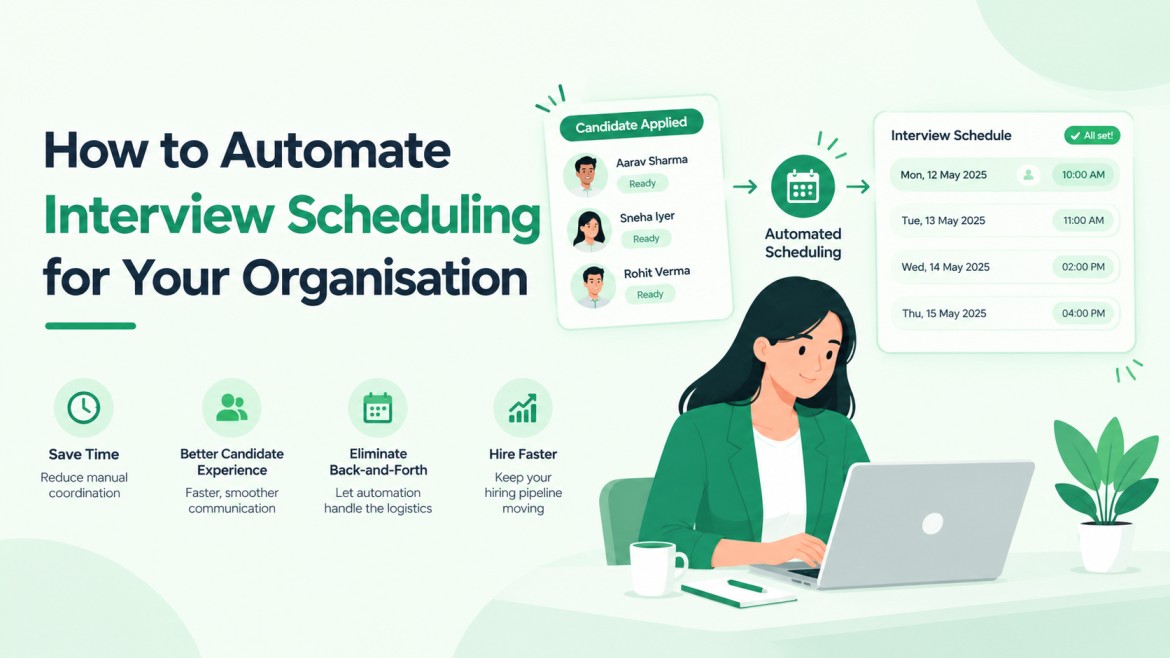
How to Automate Interview Scheduling for Your Organization
Learning how to automate interview scheduling starts with connecting your ATS to interviewers’ calendars, setting availability rules, and sharing booking links that confirm slots, send invites, and schedule reminders automatically.
The steps below cover setup, the rules that prevent double bookings, and the mistakes that make automation fail.
Scheduling is a bigger drain than it looks.
UK recruiters spend an average of 2.5 hours per vacancy arranging interviews, according to Totaljobs research reported by Staffing Industry Analysts. Across a handful of open roles, those hours add up quickly.
What Automated Interview Scheduling Does
Automated interview scheduling is software that matches candidate and interviewer availability, books the slot, sends calendar invites, and handles reminders and reschedules without a recruiter writing each message.
It usually runs inside an ATS for recruitment or connects to one, so the candidate’s stage updates the moment a booking is made.
In practice, it handles five jobs: reading calendars, offering slots, booking, sending invites, and managing changes. It does not decide who gets interviewed or what gets asked.
Three Ways to Automate Scheduling
| Approach | How it works | Best for | Main limit |
| Booking link tool (like Calendly) | Recruiter pastes a link into an email | One recruiter, one or two roles | Candidate status needs manual updates |
| ATS built-in scheduling | Moving a candidate to the interview stage sends the booking link and updates the record | Teams with several roles open | Depends on the ATS calendar support |
| ATS plus AI assistant | The assistant proposes slots, handles reschedules and nudges silent candidates | High volume, panels, many time zones | Needs clean calendars and clear rules |
Teams hiring for one or two roles often begin with a booking link. Once panels, time zones or several roles are involved, scheduling inside the ATS removes the manual step of updating every candidate record.
How to Automate Interview Scheduling in 6 Steps
1. Measure the current process
Pull the last 10 interviews you scheduled. Note how many emails each one took, how long it took to go from invite to confirmed slot, and how many were rescheduled. These numbers become your baseline for judging the new setup.
2. Define each interview type
Create a separate setup for each stage. A phone screen, a technical round, and a panel each need their own duration, interviewers, and meeting link. One shared link for every stage is the quickest way to book the wrong people.
3. Connect calendars
Link each interviewer’s Google Calendar or Outlook with two-way sync, so busy blocks count and new bookings appear straight away. The steps to connect Google Calendar, Outlook, and Zoom are short. If slots look wrong, check calendar permissions first.
4. Set availability rules
- Interview windows, for example, 10 AM to 4 PM on weekdays
- A 15-minute buffer between interviews
- Minimum notice, so nobody books a slot that starts in an hour
- A daily cap per interviewer
- Slots shown in the candidate’s local time zone
5. Trigger the invite from the pipeline
Set the ATS to send the booking link when a candidate moves to the interview stage. Use short invitation and reminder email templates that state the duration, format and who the candidate will meet. After booking, the stage and calendar entries should update without anyone touching the record.
6. Set confirmations, reminders and reschedule rules
Send a confirmation immediately, then reminders about a day before and a few hours before. Let candidates reschedule themselves up to a cut-off, for example 12 hours ahead. After that, route the request to the recruiter. Reminder timing is the main lever on no-show rates.
Run the setup on one role for two weeks and compare it with your step 1 numbers before rolling it out further.
Situations That Need Extra Rules
- Panel interviews: Panel interviews with several interviewers need everyone free for the same slot. Mark required and optional attendees, and decide what happens if one declines.
- Time zones: Show slots in the candidate’s local time and include the time zone name in every confirmation.
- Silent candidates: Send one nudge after 24 to 48 hours, then hand the case back to the recruiter.
- Interviewer declines: Reassign to another qualified interviewer or reopen the slots automatically.
- Busy weeks: Cap interviews per interviewer per day so calendars stay usable.
Mistakes That Break Scheduling Automation
- Partly synced calendars. Personal events missing from the work calendar cause double bookings.
- Back-to-back slots. With no buffer, one overrun delays every candidate after it.
- Automating the wrong messages. Interview invites suit automation. Rejections and offers, especially for senior roles, deserve a personal note.
- No human fallback. Add a contact line to every invite for candidates whose schedule fits no slot.
- Skipping the pilot. Problems are cheaper to find on one role than on twenty.
What to Track After Launch
- Time from invite to confirmed slot
- Reschedule rate
- No-show rate
- Interviews booked per recruiter per week
Compare each number with your baseline. If confirmation time drops but no-shows rise, review reminder timing before changing anything else.
Free Options and What to Check Before Choosing
A free plan is enough to test scheduling on a single role.
Before committing, check four things: whether calendar sync works both ways, whether reminders are included, whether a booking updates the candidate record, and whether there are limits on interviews or users.
A free ATS plan with built-in scheduling keeps the booking and the candidate record in one place, so nothing gets copied across by hand.
Hirium offers with interview scheduling, so you can test the workflow on one open role before extending it.
Start Small, Then Expand
Begin with one role, one interview type, and one set of rules. Once the numbers beat your baseline, add the next stage.
To try it inside an ATS, start Hirium’s free plan and set up your first booking link.
FAQs
1. How do you automate interview scheduling?
Connect interviewers’ calendars to your ATS or scheduling tool, set availability rules for each interview type, and send candidates a booking link when they reach the interview stage. The system books the slot, sends invites and reminders, and updates the candidate record.
2. Can AI schedule interviews automatically?
Yes. AI scheduling tools read calendars, propose slots, handle reschedules, and nudge candidates who have not replied. They follow the limits you set for windows, buffers, and interviewers, so review edge cases like panels and senior hires yourself.
3. What is the best free interview scheduling software?
The best fit syncs both ways with your calendar, includes reminders, and updates candidate records. Several ATS platforms, including Hirium, offer free plans. Test one on a single role before choosing.
4. Is scheduling automation worth it for small teams?
Yes, if you book several interviews a week or hire across time zones. Small teams have fewer people to absorb the admin, so removing the repetitive back-and-forth helps first.
5. What should you not automate in interview scheduling?
Rejections, offers, and sensitive conversations. Automate the logistics (slots, invites, reminders) and keep judgment calls and personal messages with a recruiter.