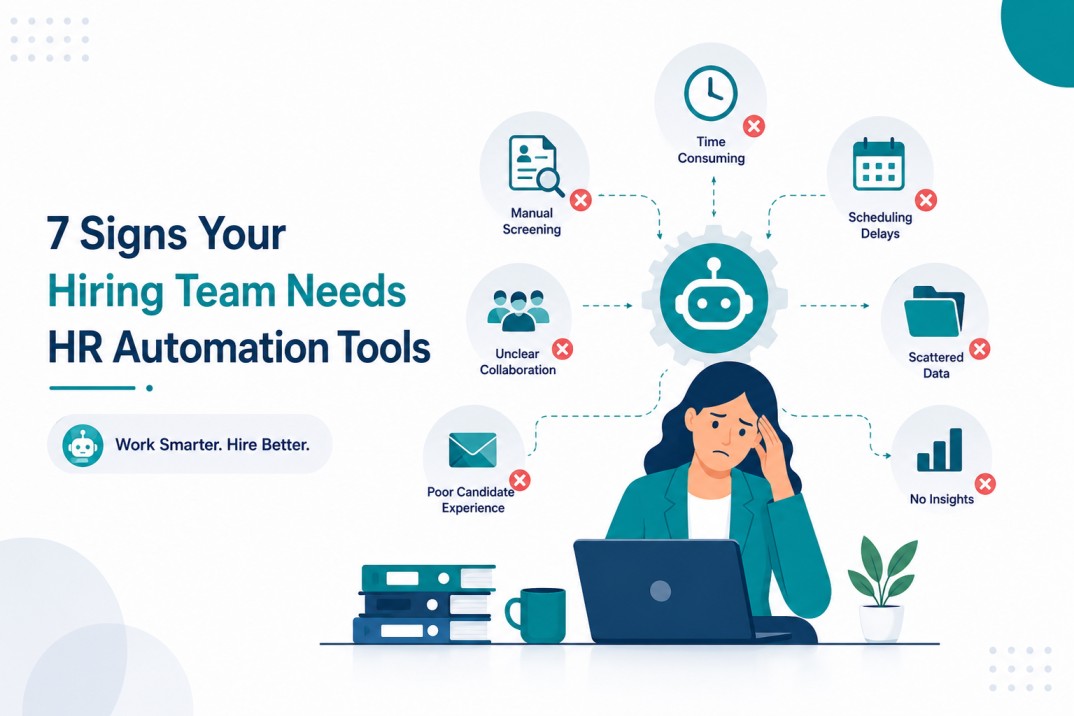
7 Signs Your Hiring Team Needs HR Automation Tools
Hiring can become difficult even when you have a strong recruiting team.
When recruiters spend hours updating spreadsheets, screening resumes, scheduling interviews, and sending follow-up emails, less time is left for speaking with candidates and making good hiring decisions.
This is where HR automation tools can make a real difference.
A survey of 748 HR leaders found that recruiters spend an average of 17.7 hours on administrative work per vacancy, according to Totaljobs data reported by People Management. That is more than two working days spent on tasks that could often be handled automatically.
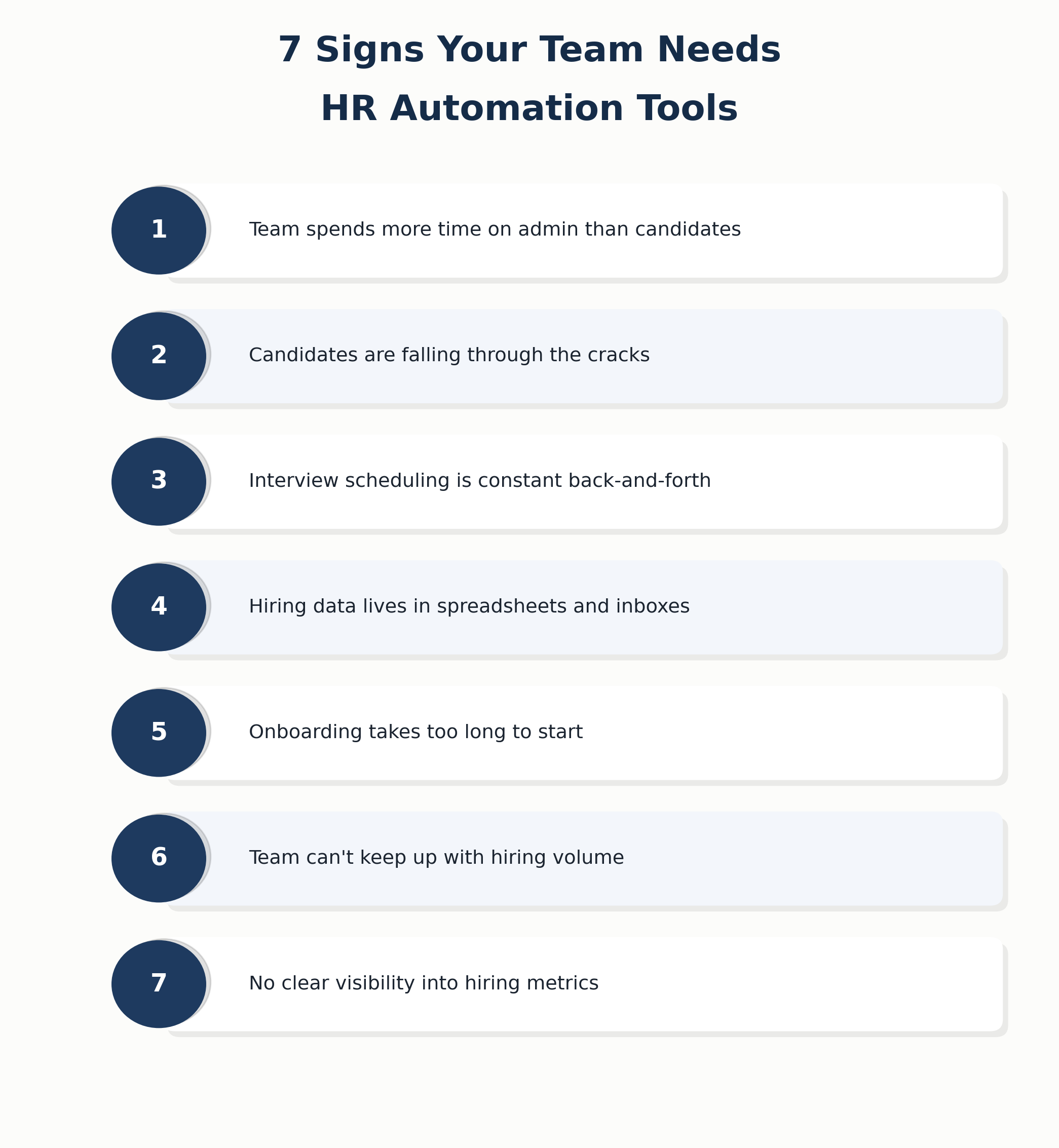
If repetitive work is slowing down your hiring process, it may be time to identify where automation can help. Here are seven signs your hiring team may need HR automation tools.
What Are HR Automation Tools
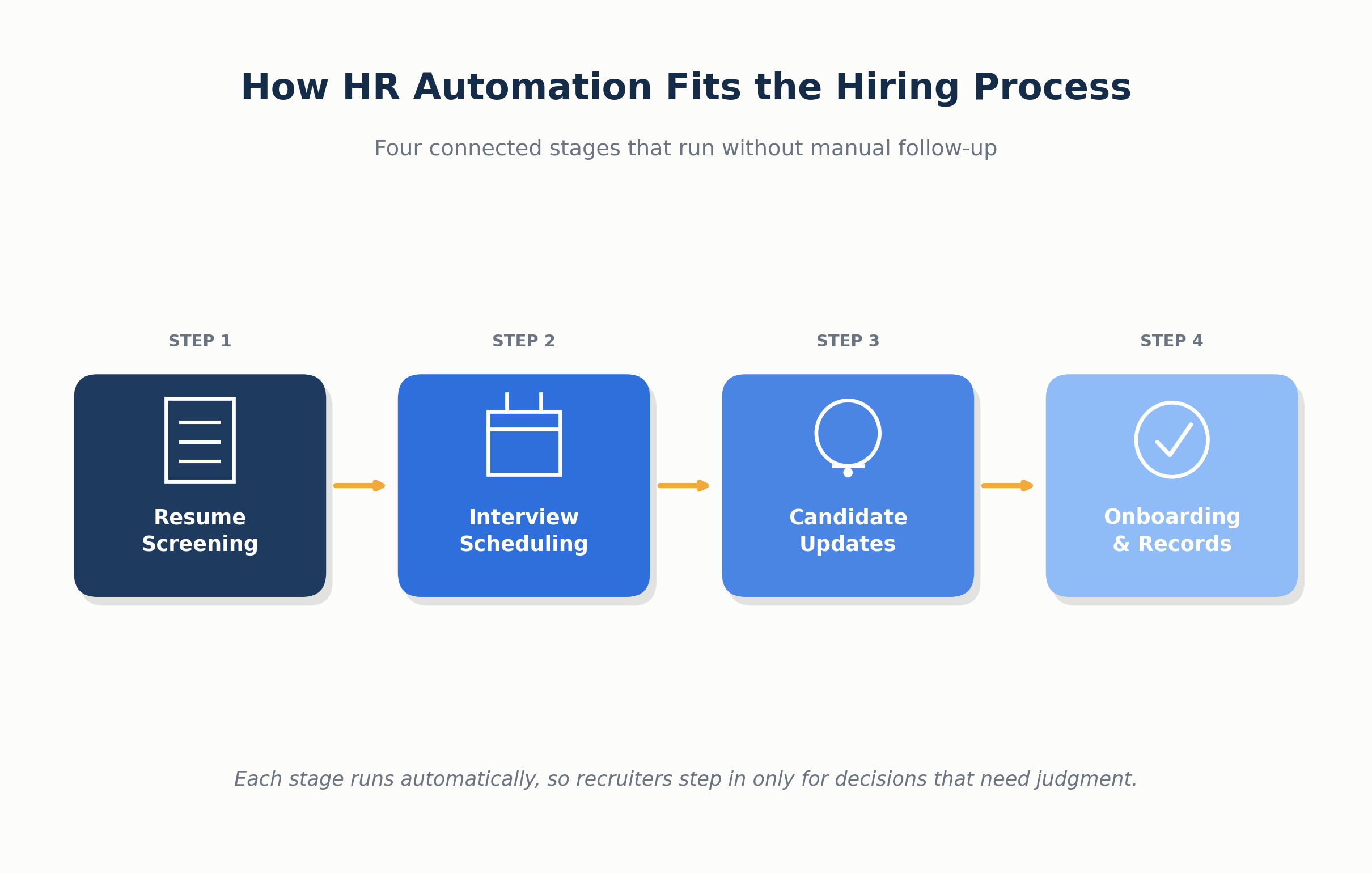
HR automation tools are software that help hiring and HR teams handle repetitive tasks with less manual work. They can take care of activities such as resume screening, interview scheduling, candidate updates, and routine paperwork.
Instead of a recruiter checking every resume, sending every follow-up email, or coordinating each interview manually, the software can complete these tasks based on set rules or AI-based features.
This gives recruiters more time to speak with candidates and focus on hiring decisions.
What These Tools Typically Handle
Most HR automation tools focus on the parts of hiring that are high-volume, repetitive, and low-judgment. Common tasks include
- Resume screening and candidate ranking based on job criteria
- Interview scheduling and calendar coordination across multiple interviewers
- Job posting distribution across multiple boards at once
- Candidate status updates and automated email triggers
- Data entry and syncing information between the ATS, HRIS, and other systems
- Onboarding paperwork and document collection for new hires
- Compliance documentation and record-keeping
None of these tasks requires human judgment to execute. They just require consistency and speed, which is exactly what automation is built to deliver.
Why Hiring Teams Delay Making the Switch
Many hiring teams know automation could save time, yet they keep postponing.
The reason is often simple: changing the current process feels like extra work. Recruiters already have full schedules, learning new software takes time, and getting budget approval can take weeks.
Some teams also feel that automation is only useful for large companies with high hiring volumes.
But manual work can become harder to manage over time. More spreadsheets mean more data to update. More candidates mean more follow-ups to track. Small delays can quickly turn into missed interviews, slow responses, and lost candidates.
The earlier a team notices these problems, the easier it is to fix them. Starting with one repetitive task can make the move to automation much easier.
Sign 1: Your Team Spends More Time on Admin Than on Candidates
What This Looks Like Day to Day
A recruiter’s calendar is full, but not with candidate conversations. It is full of manually updating spreadsheets, copying resume data into the ATS, formatting candidate profiles, and typing out the same rejection email for the fifteenth time this week.
Resume Screening takes hours instead of minutes because every application gets reviewed line by line, with no system doing the first pass.
By the time a recruiter finishes the admin work tied to one requisition, the best candidates from that pool have already accepted offers elsewhere.
How HR Automation Tools Fix It
Automation tools handle the repetitive layer of hiring so recruiters do not have to. Resume parsing extracts candidate data in seconds instead of minutes.
Automated screening ranks applicants against job criteria before a human ever opens the file. Status update emails go out on their own once a candidate moves stages. None of this replaces the recruiter’s judgment.
It just removes the manual busywork sitting in front of it, freeing up hours that go straight back into candidate conversations.
Sign 2: Candidates Are Falling Through the Cracks
The Cost of Manual Tracking
When candidate data lives across email threads, spreadsheets, and sticky notes, something eventually gets missed. A follow-up email never gets sent. A strong candidate sits in “under review” for two weeks with no update.
A silver medalist from a past role never gets re-contacted for a new opening because nobody remembers they exist. Every dropped candidate is a wasted sourcing effort and, often, a damaged employer reputation, since candidates talk about slow or silent hiring processes.
How Automation Prevents Lost Candidates
An automated system tracks every candidate through every stage without depending on someone’s memory. Triggers send follow-up emails automatically. Stalled candidates get flagged instead of forgotten.
Past applicants stay searchable and tagged, so re-engaging them for a new role takes minutes, not a manual search through old inboxes. Nothing sits untouched long enough to go cold.
Sign 3: Interview Scheduling Is a Constant Back-and-Forth
Why Manual Scheduling Breaks Down at Scale
Coordinating one interview between a candidate and a hiring manager is manageable. Coordinating panel interviews across three or four interviewers, each with their own calendar and time zone, is where manual scheduling falls apart.
Recruiters end up sending a dozen emails just to lock down one 30-minute slot, and a single reschedule can restart the whole chain.
What Automated Scheduling Solves
Automated scheduling tools sync directly with calendars like Google Calendar, Outlook, and Zoom, so available slots show up instantly without back-and-forth emails.
Candidates pick a time that works, interviewers get automatic invites, and reminders go out on their own to cut down on no-shows.
Double-booking and time zone mistakes, two of the most common manual scheduling errors, get removed from the process.
Sign 4: Your Hiring Data Lives in Spreadsheets and Inboxes
Why This Slows Down Decision-Making
When candidate information, interview feedback, and hiring status are scattered across spreadsheets, email chains, and personal notes, no one has a single source of truth. Hiring managers ask for updates recruiters cannot immediately answer.
Decisions get delayed because someone has to dig through old threads to confirm where a candidate stands. Data entered manually in multiple places is also more prone to errors, duplicate records, and outdated information that nobody has time to clean up.
How Centralized Automation Helps
An automated recruitment ATS keeps every candidate record, interview note, and hiring stage in one connected system. Anyone on the team can pull up accurate, current information without hunting through inboxes.
Updates made in one place reflect everywhere else automatically, so hiring managers and recruiters are always looking at the same data.
Sign 5: Onboarding Takes Too Long to Start
Where the Delays Usually Happen
Onboarding should begin soon after a candidate accepts an offer, but manual tasks can slow the process down. Offer letters may need to be prepared and sent manually, while documents can take days to move between HR and the new hire for signatures.
Other tasks, such as creating HRIS records, requesting system access, arranging equipment, and sharing first-day details, may depend on someone remembering to complete each step. When these tasks are delayed, new employees may arrive without the tools or access they need.
A slow onboarding process can create a poor first impression and make the first few days difficult for both the new employee and HR team.
How Automation Speeds Up
Automation can help keep the onboarding process moving once a candidate accepts an offer. Documents can be sent for e-signature, employee information can be added to the HR system, and important tasks can be assigned automatically.
Requests for laptops, system access, account setup, and welcome emails can also be triggered at the right stage. This reduces the chances of missed tasks and unnecessary follow-ups.
With each step handled on time, new hires can start their first day with the tools, access, and information they need. HR teams also spend less time chasing paperwork and checking whether routine tasks are complete.
Sign 6: Your Team Can’t Keep Up With Hiring Volume
When Manual Processes Stop Scaling
A hiring process that works for five open roles may become difficult to manage when that number reaches twenty. Manual resume screening, interview scheduling, candidate tracking, and follow-ups take time for every applicant. When applications increase, recruiters can quickly become overloaded.
This can lead to longer hiring times, delayed candidate responses, and less time for proper candidate evaluation. If your team is regularly struggling to keep up with open positions, manual processes may be holding the hiring process back.
What Automation Adds at Volume
Automation helps recruiters manage more hiring work without adding the same amount of manual effort. Tasks such as resume screening, interview scheduling, candidate updates, and follow-up emails can run automatically.
For example, if your team receives hundreds of applications for several roles, an automated system can help sort candidates and keep each application moving through the right hiring stage. Recruiters can then spend more time on interviews, candidate communication, and final hiring decisions.
Sign 7: You Have No Clear Visibility Into Hiring Metrics
Why This Hurts Reporting and Planning
If hiring data is spread across spreadsheets, emails, and different tools, getting a clear picture of recruitment performance can be difficult. Metrics such as time-to-fill, cost-per-hire, source of hire, and candidate pipeline status may require hours of manual work to collect.
This makes it harder to identify delays, compare hiring results, or give leadership an accurate update. By the time a report is ready, some of the information may already be outdated.
How Automation Tools Provide Real-Time Data
HR automation tools can collect hiring data in one place and update it throughout the recruitment process. Recruiters and hiring managers can check important metrics without creating reports manually every time.
Having current information on hiring speed, candidate pipelines, and open positions makes it easier to spot problems early and decide where the team needs to improve. It also gives hiring managers a clearer view of what is happening across the recruitment process.
What to Do Next
If two or more signs sound familiar, it may be time to rethink how your hiring team handles repetitive work. Do not try to automate everything at once. Start by identifying the task that takes the most time, such as resume screening, interview scheduling, candidate follow-ups, or data entry.
Measure how much time your team spends on that task each week. Then find an HR automation tool that can handle it without disrupting your existing workflow. Test one process first and track the results.
If the tool saves time and reduces missed tasks, gradually automate other repetitive steps.
The goal is simple: less admin work and more time for meaningful candidate conversations and hiring decisions.
FAQs
1. What are HR automation tools used for?
HR automation tools handle repetitive hiring and HR tasks like resume screening, interview scheduling, candidate status updates, and onboarding paperwork, so recruiters spend less time on admin and more time on actual hiring decisions.
2. How do I know if my hiring team needs automation?
If your team is missing candidates, spending most of their week on scheduling and data entry, or struggling to keep up with open roles, these are clear signs that manual processes are holding hiring back.
3. Are HR automation tools only for large companies?
No. Small and growing teams often benefit the most, since they usually have fewer recruiters handling the same volume of admin work as larger teams with dedicated support staff.
4. Do HR automation tools replace recruiters?
No. These tools handle repetitive, rule-based tasks like screening and scheduling. Hiring decisions, candidate conversations, and judgment calls still depend on the recruiter.
5. How long does it take to implement HR automation tools?
Most modern platforms can be set up within a few days to a couple of weeks, depending on how many systems need to be integrated and how much historical data needs to be migrated.
6. What is the biggest benefit of using HR automation tools?
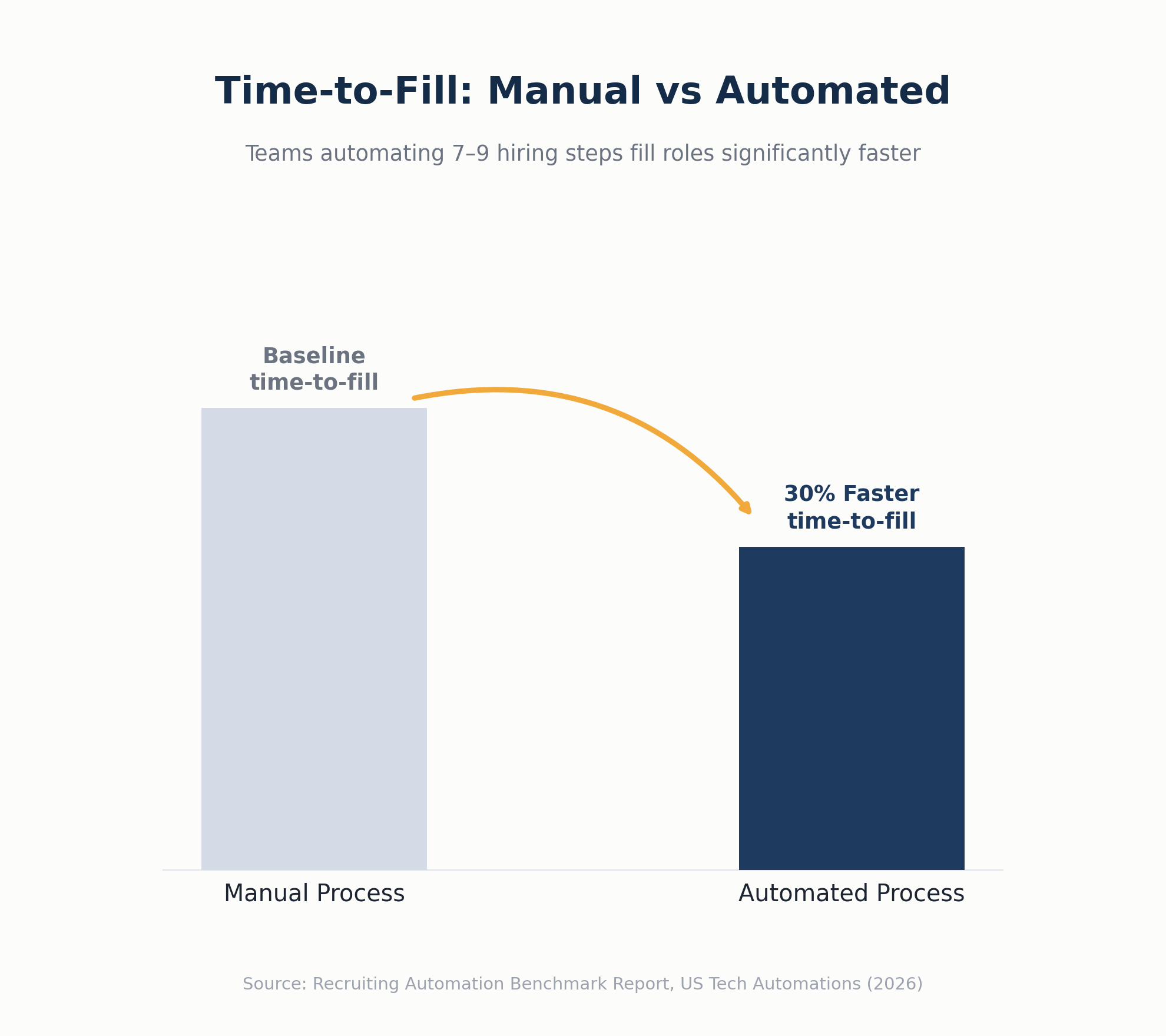
The biggest benefit is time saved on admin work, which directly translates into faster time-to-fill, fewer lost candidates, and more consistent hiring quality across open roles.
Final Thoughts
Hiring problems rarely appear all at once. They usually start with small issues, such as a missed follow-up, a delayed interview, or hours spent updating spreadsheets.
Over time, these tasks can take up more of the recruiter’s day and slow down the entire hiring process.
If two or three of these signs sound familiar, it may be time to rethink your current workflow. Manual processes may be taking more time than they are worth.
HR automation tools can handle repetitive tasks like resume screening, scheduling, candidate updates, and data entry. This gives recruiters more time to speak with candidates, work with hiring managers, and focus on important hiring decisions.
The goal is not to remove the human side of hiring, but to give your team more time to focus on it.
CTA
Ready to stop losing hours to admin work and start hiring faster?
See how Hirium AI-powered ATS automates so your team can focus on people, not paperwork. [Book a free demo today.]
That completes the full blog structure and content section by section. Let me know if you want me to compile everything into one document or make any edits to specific sections.