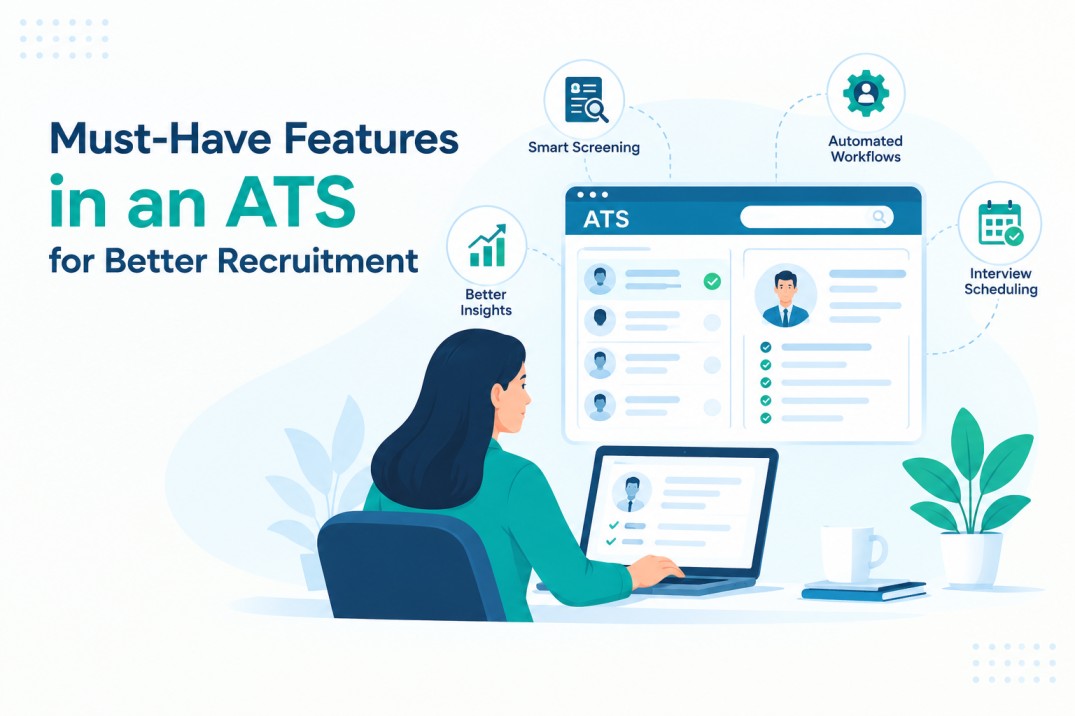
Must-Have Features in an ATS for Better Recruitment
What if your ATS could finally keep up with your hiring goals?
Right now, roughly 75% of recruiters use an ATS in their hiring process, and 94% say it has a positive impact on how their organisation hires. That number sounds reassuring, until you realise having an ATS and having the right one are two different things. Most systems still function like glorified resume storage, sorting applications but doing little else.
Modern hiring needs more than that. It needs speed, scale, and smart features that actually work for the team using them, not just a vendor’s sales deck.
This post breaks down the must-have features in an ATS every growing company needs, covering automation, compliance, integrations, and candidate experience.
Each one plays a direct role in reducing time-to-hire without cutting corners on candidate quality, so hiring gets faster and better at the same time.
Must-Have Features in an ATS for Better Recruitment
1. AI Resume Screening and Matching
Sorting through hundreds of resumes by hand slows down every hire and lets strong candidates slip through unnoticed.
An AI-powered ATS reads each resume against your job requirements, ranks applicants by fit, and flags the strongest matches first. Recruiters spend less time scanning stacks of applications and more time talking to candidates who actually fit the role, which shortens time-to-hire without cutting corners on quality.
- Matches resumes against job requirements automatically
- Surfaces the best-fit candidates first, not just the newest
- Cuts manual screening from hours to minutes
2. Centralized Candidate Database and Pipeline Management
A candidate database scattered across spreadsheets, inboxes, and sticky notes makes it easy to lose track of who applied for what.
A centralized database keeps every resume, application, and note in one place, organized by role and hiring stage. Recruiters see exactly where each candidate stands without digging through old emails, and teams stay aligned even when several roles are open together.
- One profile per candidate, updated automatically
- Sorted by role, stage, and status
- Everyone sees the same candidate history
3. Automated Interview Scheduling and Communication
Nothing frustrates candidates faster than silence between application and interview. Automated interview scheduling lets candidates pick open slots from synced calendars, while the system sends confirmations, reminders, and status updates without recruiters lifting a finger.
This removes the back-and-forth email chain, reduces no-shows, and keeps candidates informed throughout the process, building trust and confidence even before the first interview.
- Candidates book slots from synced calendars
- Confirmations and reminders sent without manual follow-up
- Timely reminders reduce missed interviews
4. Workflow Automation
Manual hiring tasks pile up fast when applications come in daily. Workflow automation handles the repetitive parts, like sending status update emails, moving candidates between stages, and generating reports, so nothing falls through the cracks.
Recruiters set the rules once, and the system follows them for every applicant, freeing up hours each week for actual candidate conversations instead of routine admin work.
- Set triggers once, apply them to every candidate
- Automatic emails triggered throughout the pipeline
- Frees recruiters from repetitive admin tasks
5. Branded Career Page
A generic job listing tells candidates nothing about the company behind it. A branded career page shows your logo, colors, and voice, giving candidates a real sense of what it is like to work there before they apply.
Clear job descriptions, easy navigation, and a direct application button turn a simple job board into a page that actually converts visitors into applicants.
- Custom logo, colors, and messaging on every page
- Candidates find relevant roles fast
- One-click apply without leaving the page
6. Hiring Analytics and Reporting
Guessing where a hiring process breaks down wastes time and candidates. Hiring analytics show exactly how long each stage takes, where candidates drop off, and which sources bring in the best hires.
Recruiters use this data to fix bottlenecks fast, hiring managers get a realistic view of timelines, and leadership can make headcount decisions backed by numbers instead of gut feeling alone.
- Tracks time-to-hire and drop-off points by stage
- Shows which channels bring the strongest candidates
- Replaces guesswork with real hiring numbers
7. Compliance and Data Security
Handling candidate data across regions brings real legal risk, not just a checkbox to tick. A secure ATS builds in consent tracking, role-based access, and data retention rules that follow laws like GDPR and CCPA.
This protects candidate trust and shields the company from costly mistakes, so hiring can scale into new markets without putting sensitive information or the employer brand in danger.
- Tracks candidate consent and logs every action
- Built-in rules for GDPR, CCPA, and similar laws
- Role-based permissions limit who sees sensitive data
Conclusion: Build a Hiring Engine, Not Just a Workflow
Most enterprise ATS platforms check the essential boxes but that’s not enough anymore. Your tools must keep up if you’re dealing with high volumes, multiple teams, and ever-changing compliance rules.
These 7 features aren’t just nice-to-haves. They:
- Cut down manual work
- Improve candidate experience
- Give you better data
- Keep you compliant
- Help you hire faster and smarter
If your current ATS can’t do that, it’s probably holding your team back so you can book a free call on Hirium for better Recruitment in ATS
FAQs:
1. What is the most essential feature of an ATS for enterprise hiring?
Scalability and integration matter most. Large companies operate across regions, departments, and tech stacks, so the ATS needs to grow alongside the business and sync with existing HRIS tools without constant workarounds or manual data entry.
2. Can an ATS reduce time-to-hire?
Yes. Resume parsing, automated workflows, and CRM-style candidate pipelines cut manual steps out of the process. Depending on hiring volume and how well workflows are set up, teams often see time-to-hire drop by 25 to 50 percent.
3. How does an ATS support compliance with hiring laws?
Strong systems build in EEOC, GDPR, and CCPA tools directly into the workflow. Audit trails, consent tracking, and automated data deletion schedules keep hiring compliant without adding extra manual work for recruiters or HR teams.
4. What’s the difference between an ATS and a CRM in recruiting?
An ATS tracks and manages candidates actively applying to open roles. A recruitment CRM focuses on nurturing passive talent for future openings. Some modern platforms, Hirium included, now combine both functions in one system.
5. How can I convince leadership to invest in a better ATS?
Lead with numbers. Pull current metrics on time-to-fill, cost-per-hire, and candidate experience scores, then show what a modern ATS could save or improve. Leadership responds to measurable impact, not feature lists alone.