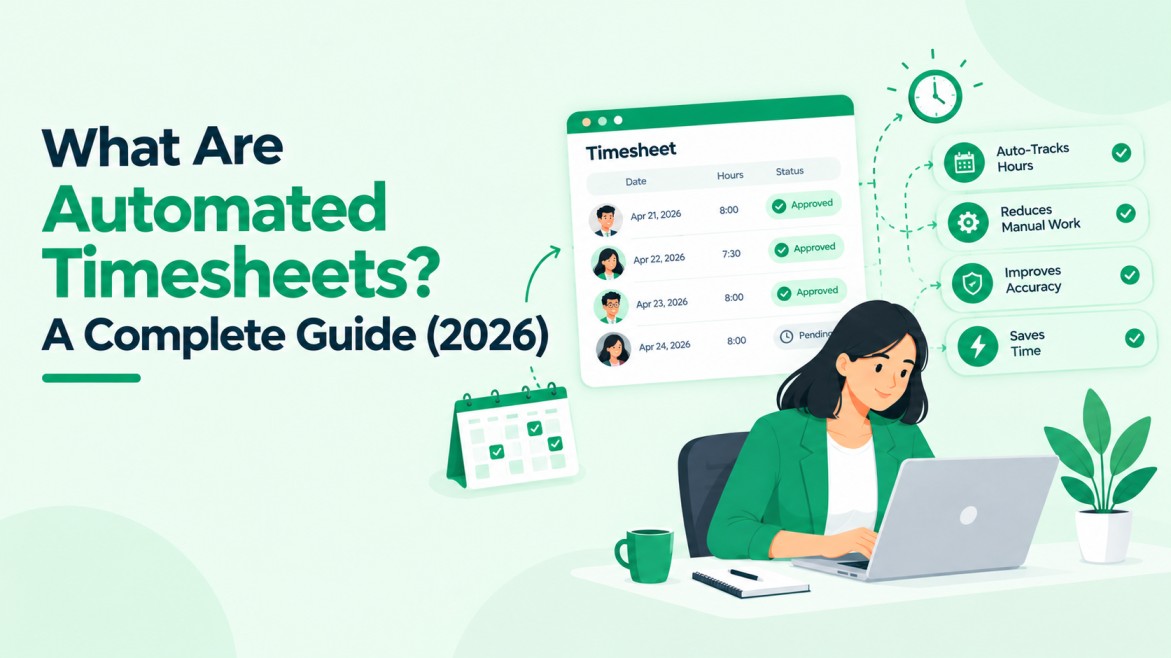
What are Automated Timesheets: A Complete Guide
What are automated timesheets?
They are digital timesheets that collect, check, and route work hours with little or no manual typing. Hours come from a clock-in, a mobile app, a location check-in, a calendar, or tracked activity. Software then applies pay rules, sends entries for approval, and passes approved hours to payroll or billing.
Accurate hours matter beyond payroll.
The U.S. Department of Labor’s Wage and Hour Division recovered more than $259 million in back wages for nearly 177,000 workers in fiscal year 2025, and hours worked are central to overtime and minimum wage cases. A timesheet is a legal record, not just a form for payroll.
This guide covers how automated timesheets work, the main types, what they fix, where they still need human review, and what to check before choosing software.
How Do Automated Timesheets Work?
Most systems follow the same five steps:
- Capture time. Workers clock in on a phone or computer, start a timer, check in by location, or let the tool log activity. Some tools import hours from calendars or project tools.
- Check against rules. The software applies rules for rounding, breaks, overtime, shift length, and pay rates. Missing or unusual entries get flagged.
- Route for approval. A manager reviews the sheet, edits it with a reason, or approves it. Reminders chase late submissions.
- Send hours onward. Approved hours go to payroll, client invoices, or project costing.
- Keep a record. The system logs who entered, changed, and approved each entry, with timestamps.
The gain is not only speed. Errors surface during entry or approval, not after payroll closes.
Types of Automated Timesheets
| Type | How time is captured | Best for | Watch for |
| Clock-in and clock-out | Worker taps in and out on web, mobile, or a kiosk | Hourly and shift work | Missed punches that need correction |
| Location-based | Check-in tied to a job site or client site | Field work and on-site contractors | Location privacy and consent rules |
| Timer or project-based | Worker starts and stops a timer on tasks or projects | Agencies, consultants, billable work | Forgotten timers |
| Passive or AI-drafted | Tool records app or calendar activity and drafts the sheet | Knowledge work with many small tasks | Human review and monitoring concerns |
| Integration-fed | Hours imported from scheduling or project tools | Teams with a connected tool stack | Wrong source data passing straight through |
Teams often mix types. A field crew may use location check-in while an office team uses project timers. Pick the type by how work really happens, not by the longest feature list.
-
Manual vs Automated Timesheets: What Changes
The gap between manual and automated timesheets comes down to three things.
First, when errors get caught: during entry, not after payroll closes.
Second, who does the math: software handles totals, rounding, and overtime rules.
Third, what record remains: a time-stamped log of every entry and edit, instead of a spreadsheet or paper form with no edit history.
What Automated Timesheets Fix, and What They Do Not
They fix:
- Late and missing timesheets, through reminders and deadlines
- Math and rounding mistakes
- Re-typing hours into payroll or invoices
- Unclear approvals, since each sheet has a named approver
- Missing change history
They do not fix:
- Wrong inputs. A wrong project code, shift, or pay rate produces a wrong total, just faster.
- Unclear policy. Software enforces rules. It cannot repair vague rules on breaks or overtime approval.
- Missed clock-ins. Workers still need to use the tool.
- Worker classification. Whether someone is exempt or non-exempt, or an employee or contractor, is a legal call.
- Privacy risk. Location, screenshot, or activity tracking raises notice and consent questions that vary by location.
What to Look for in Automated Timesheet Software
The features that matter most depend on how hours turn into pay or invoices. Check these:
- Capture options. Mobile, desktop, kiosk, or location check-in that matches how your people work.
- Rules engine. Overtime, breaks, rounding, and multiple pay rates without workarounds.
- Approval routing. Multi-level approvals, delegates, and client sign-off when needed.
- Reminders. Alerts for missing, late, and unapproved sheets.
- Payroll and billing links. Ask which systems connect, whether data moves one way or both ways, and what happens when an approved sheet is corrected later. Agencies should test this against their payroll setup, because payroll software for temp staffing firms must handle the same overtime and rate rules.
- Audit trail. Who changed what, when, and why.
- Reports. Hours by worker, client, and project, plus overtime alerts.
- Access control and export. Role-based permissions and a way to export records if you switch tools.
- Privacy settings. Clear control over what gets tracked and who can see it.
Automated Timesheets for Staffing and Recruiting Firms
Staffing firms handle timesheets differently from most employers. Hours from temps and contractors feed two places: the worker’s pay and the client’s invoice.
Each uses a different rate, and the client often has to approve hours before billing. One late or wrong sheet delays both payroll and invoicing.
Automation helps in four ways:
- Pay rate and bill rate applied to the same approved hours
- Client-level approval with reminders
- Approved hours flowing to invoices without retyping
- Placement details from the hiring system, including start date and rates, carried into the timesheet
The gap between those two rates is margin, which is why margin visibility across 1099 and W-2 contracting depends on clean hours data.
Hirium, an AI-powered ATS for startups and SMBs, keeps hiring and timesheet workflows in one system for staffing teams.
How to Roll Out Automated Timesheets
- Write the rules first. Set pay periods, rounding, breaks, overtime, and approval deadlines before touching the tool.
- Pilot with one team or client. Run a full pay cycle and compare automated totals with the old process.
- Train on the daily actions. Show workers and approvers the two or three steps they use each week, and explain what is tracked and why.
- Set reminders and escalation. Decide who gets nudged when a sheet is late and who steps in when an approver is away.
- Review exceptions. After the first cycles, study flagged entries and fix the rules or the setup, not the people.
Conclusion
Automated timesheets replace typed hours with a checked, time-stamped record. They cut late entries, math errors, and re-typing, but they still depend on clear rules and human review of exceptions.
Start with how work really happens, test one team through a full pay cycle, and compare the results with your old process before rolling out wider.
If your agency tracks contractor hours alongside hiring, request a demo of Hirium to see how placements, hours, and approvals connect.
Frequently Asked Questions
1. Are automated timesheets accurate enough for payroll?
They remove typing and math errors and flag unusual entries, but accuracy still depends on correct source data and clear rules. Managers should review flagged entries before payroll closes.
2. Are automated timesheets legal?
In the U.S., the FLSA requires accurate records but does not require a specific method, so electronic timesheets are allowed. State and country rules vary, so check each location.
3. What is the difference between automated and manual timesheets?
Manual timesheets rely on workers typing hours into paper or spreadsheets. Automated timesheets capture time through software, apply pay rules, route approvals, and keep an edit history.
4. Do automated timesheets track workers all day?
Not always. A clock-in tool records only start and end times. Passive tools log app or calendar activity. Check what a tool tracks and tell workers before turning it on.
5. Can automated timesheets work for remote or hybrid teams?
Yes. Web and mobile clock-in or timers work from any location, and many tools handle time zones. Confirm how the tool treats overtime rules across regions.
6. How do automated timesheets help staffing agencies?
They apply separate pay and bill rates to approved hours, collect client approvals, and send hours to payroll and invoices, which cuts retyping and late billing.