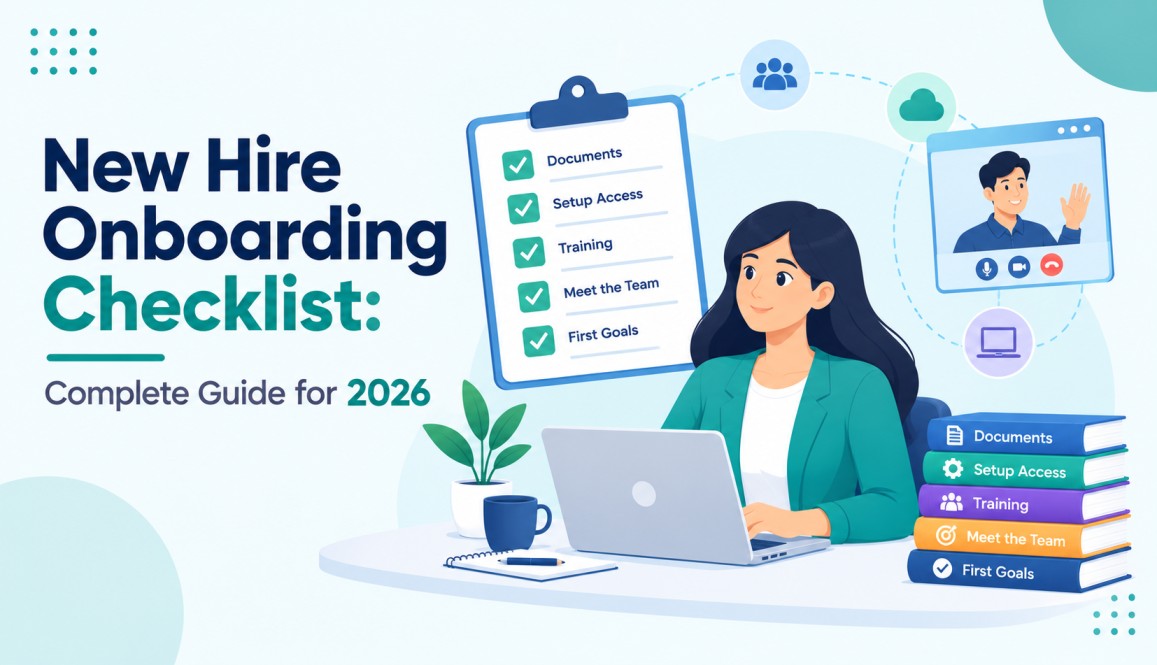
New Hire Onboarding Checklist: Complete Guide for 2026
A new hire onboarding checklist helps HR teams organise everything a new employee needs before and after joining. It covers tasks like paperwork, account setup, team introductions, training, and early performance goals.
AIHR attributes the figure to Enboarder research: Early contact pays off. 84% of new hires found messages sent before and just after day one helpful, according to Enboarder data reported by AIHR.
Remote hires cannot learn by watching the person next to them. Every login, intro, and explanation has to be planned.
This guide gives you a practical onboarding checklist, a week-one onboarding schedule template, a 30-60-90 day plan, and an onboarding workflow you can reuse for future hires. It also explains how HR software can connect hiring information with the onboarding process, helping teams reduce duplicate work and keep employee information organized.
What Is a New Hire Onboarding Checklist?
A new hire onboarding checklist lists every task, owner, and deadline between offer acceptance and day 90. It usually covers three areas:
- Admin: contracts, tax forms, payroll, and policies
- Tools and access: laptop, email, chat, project tools, and security setup
- People and goals: team intros, training, feedback, and clear expectations
A checklist is the list for one hire. An onboarding checklist template for new hires is the reusable version you copy each time someone joins, so nothing depends on memory.
Why Remote Startups Need One
Remote work removes the small moments that help new people settle in. Nobody walks them to lunch or answers a quick question across the room.
Most companies struggle here. Gallup reports that just 12% of employees strongly agree that their employer onboards new people well. The payoff for getting it right is real: employees with an exceptional onboarding experience are 2.6 times more likely to be extremely satisfied with their workplace.
Small teams also have no HR department to catch gaps. The founder or hiring manager runs everything, so a written checklist protects their time and keeps quality steady from one hire to the next.
How the Onboarding Process Works
Onboarding runs in four stages: before day one, day one, week one, and the first 90 days. Each stage has one goal.
Stage 1: Before Day One (Pre-boarding)
Goal: no surprises on the start date.
- Send the signed offer, employment agreement, and tax and bank forms
- Confirm the start date, working hours, and time zone
- Order and ship the laptop and gear. Aim for delivery 5 business days before day one
- Create accounts for email, chat, project tools, password manager, and HR system
- Assign an onboarding buddy who is not the manager
- Send a welcome email with the day-one plan, meeting links, and one person to contact for help
Pull details from your hiring records instead of asking the hire to repeat them. An applicant tracking system like Hirium keeps offer terms, interview notes, and candidate details in one place, so the manager can plan the first 30 days from what the interviews already showed.
Stage 2: Day One
Goal: the hire feels welcome and can log in to everything.
- 30-minute welcome call with the manager
- Team introduction on video
- Tool walkthrough and security setup, including two-factor login
- Review of the 30 60 90 day plan
- One small task the hire can finish before the day ends
- End-of-day check-in to fix any access issues
Stage 3: Week One (Onboarding Schedule Template)
Goal: the hire understands the company, the role, and the first deliverable.
| Day | Focus | Owner |
| Day 1 | Welcome call, team intro, tool setup, small first task | Manager, IT |
| Day 2 | Company, product, and customer overview | Manager |
| Day 3 | Role training and shadowing a live task | Team lead |
| Day 4 | Short 1:1 chats with teammates from other functions | Buddy |
| Day 5 | First finished deliverable and week one review, with feedback both ways | Manager |
Book every session in the new hire’s local time zone. Keep live sessions to about 3 hours a day, and record training so the hire can rewatch it in their own time.
Stage 4: 30 60 90 Day Onboarding Checklist
Goal: move the hire from learning to owning their work.
Days 1 to 30: Learn
- Finish role training and required policy reviews
- Hold a 1:1 chat with each teammate
- Complete a first project with a review
- Meet the manager for a weekly 1:1
- Agree on 30-day goals in writing
Days 31 to 60: Contribute
- Own a full piece of work with light guidance
- Work with one other team on a shared task
- Hold a 60-day review with feedback both ways
- Fill skill gaps with training or mentoring
Days 61 to 90: Own
- Run work independently with normal check-ins
- Suggest one improvement to a process or tool
- Set goals for months 4 to 6
- Hold a 90-day review with written feedback
- Ask the hire to rate onboarding and hiring data and name what to fix
Onboarding Workflow Template
A workflow turns the checklist into triggers, owners, and deadlines. Copy this table into your project board or HR tool.
| Trigger | Task | Owner | Deadline |
| Offer accepted | Send contract and forms | Founder or HR | Same day |
| Offer accepted | Order laptop and gear | Ops | Within 2 days |
| 5 days before start | Create accounts and permissions | IT or Ops | 2 days before start |
| Day before start | Send welcome email and calendar invites | Manager | End of day |
| Day 1 | Welcome call and tool setup | Manager, IT | Day 1 |
| Day 5 | Week one review | Manager | Day 5 |
| Day 30, 60, 90 | Review meetings | Manager and hire | On schedule |
Every row needs one named owner. Shared ownership usually means no ownership. Set reminders in your HR tool, project board, or calendar so tasks fire without anyone remembering them.
How to Build an Onboarding checklist for employees hired remotely
A new hire onboarding checklist works best when HR can assign tasks, track progress, and keep important employee information in one place. HR software can make this process easier by connecting hiring information with onboarding tasks.
When a candidate accepts an offer, the recruitment team already has useful information such as their resume, interview feedback, job role, hiring stage, and offer details. If this information is stored across emails, spreadsheets, and separate tools, HR may need to collect the same details again during onboarding.
1. Start With Your Standard Onboarding Checklist
Create one checklist that covers the main stages of onboarding:
- Preboarding and paperwork
- IT and account setup
- Day-one activities
- Team introductions
- Role-specific training
- Week-one tasks
- 30-60-90 day goals
This gives HR and managers a consistent process for every new hire.
2. Assign Each Task to an Owner
Every task should have a clear owner and deadline. For example:
| Task | Owner | Deadline |
| Send welcome email | HR | Before Day 1 |
| Create employee accounts | IT | Before Day 1 |
| Schedule team introduction | Manager | Day 1 |
| Complete role training | Manager | Week 1 |
| Review first-month goals | Manager | Day 30 |
Clear ownership prevents tasks from being missed during a busy hiring period.
3. Keep Hiring Information Organized
The onboarding process should not require HR to search through multiple systems for basic candidate information.
An applicant tracking system can keep candidate profiles, resumes, interview feedback, hiring stages, and other recruitment information organized. This gives HR and hiring managers easier access to the information they need when a candidate becomes a new employee.
4. Use the Same Workflow for Every Hire
Turn your new hire onboarding checklist into a repeatable workflow. Once the candidate is hired, the required onboarding tasks can follow the same process each time.
For example:
Candidate hired → Offer accepted → Preboarding → Day 1 → Week 1 → 30/60/90 days
A repeatable workflow helps startups avoid rebuilding the onboarding process for every new employee.
5. Connect Hiring and Onboarding
Hiring and onboarding are different processes, but they are closely connected. The information collected during recruitment can help managers prepare for a new employee’s first day.
Hirium helps startups organize candidate information throughout the hiring process. Keeping recruitment information structured can make the transition into onboarding easier for HR and hiring managers.
When hiring becomes a regular process, an ATS for startups can provide a more structured way to manage candidate information, recruitment workflows, and hiring data.
Example: Onboarding a Remote Support Agent
This is an illustrative example, not a client case. Picture a 15-person startup that hires a support agent in another time zone. The offer is accepted on a Tuesday, and the start date is three weeks out.
- Same day: contract sent and laptop ordered
- Week before start: laptop delivered, accounts created, buddy assigned
- Day one: welcome call, help desk training, and a recorded customer call to review
- Week one: the agent drafts ticket replies, and a teammate reviews each one
- Day 30: handles common tickets alone
- Day 60: takes escalations with help from a senior agent
- Day 90: owns a ticket queue and suggests one help article to add
The pattern to copy: every step has a person attached, a date, and a visible result.
Common Onboarding Mistakes on Remote Teams
- Treating onboarding as paperwork only. Forms matter, but relationships and goals decide whether the hire stays.
- Shipping equipment late. A missing laptop wastes day one.
- Assigning tasks to “the team.” Name one person for each task.
- Ignoring time zones. A 9 AM welcome call is not welcoming at 2 AM.
- Stopping after week one. Gallup notes that new employees typically take around 12 months to reach full performance, so 90 days is the minimum, not the finish line.
- Skipping feedback from the hire. They see the gaps in your process faster than anyone.
Conclusion
Your onboarding checklist starts before the employee’s first day. The recruitment data behind that hire can also give managers useful context for the first 30, 60, and 90 days. Hirium keeps candidate profiles, interview feedback, and hiring stages organized in one ATS for startups, making the transition from recruiting to onboarding easier for growing teams.
See How Hirium Helps Manage Hiring → Book a Free Demo
FAQs
1. What should a new hire onboarding checklist include?
A new hire onboarding checklist should cover preboarding paperwork, account setup, equipment, introductions, training, role expectations, first-week tasks, manager check-ins, and 30, 60, and 90-day goals.
2. How does a remote onboarding checklist work?
A remote onboarding checklist organizes onboarding tasks before and after the employee joins. It helps HR, managers, IT, and new hires track responsibilities, deadlines, access requirements, meetings, training, and early performance goals.
3. When should a new hire onboarding checklist start?
A new hire onboarding checklist should start before the employee’s first day. Preboarding can include paperwork, equipment delivery, account creation, access permissions, welcome messages, and sharing important company or role information.
4. Can startups automate the new hire onboarding process?
Yes. Startups can use recruitment and HR software to organize candidate information, automate communication, assign tasks, and track recruitment workflows. This reduces manual follow-ups and creates a more consistent transition from hiring to onboarding.
5. How can an ATS support the onboarding process?
An ATS can keep candidate profiles, resumes, interview feedback, and hiring information organized before the employee joins. This information can help hiring managers prepare role expectations, early goals, and onboarding activities more efficiently.