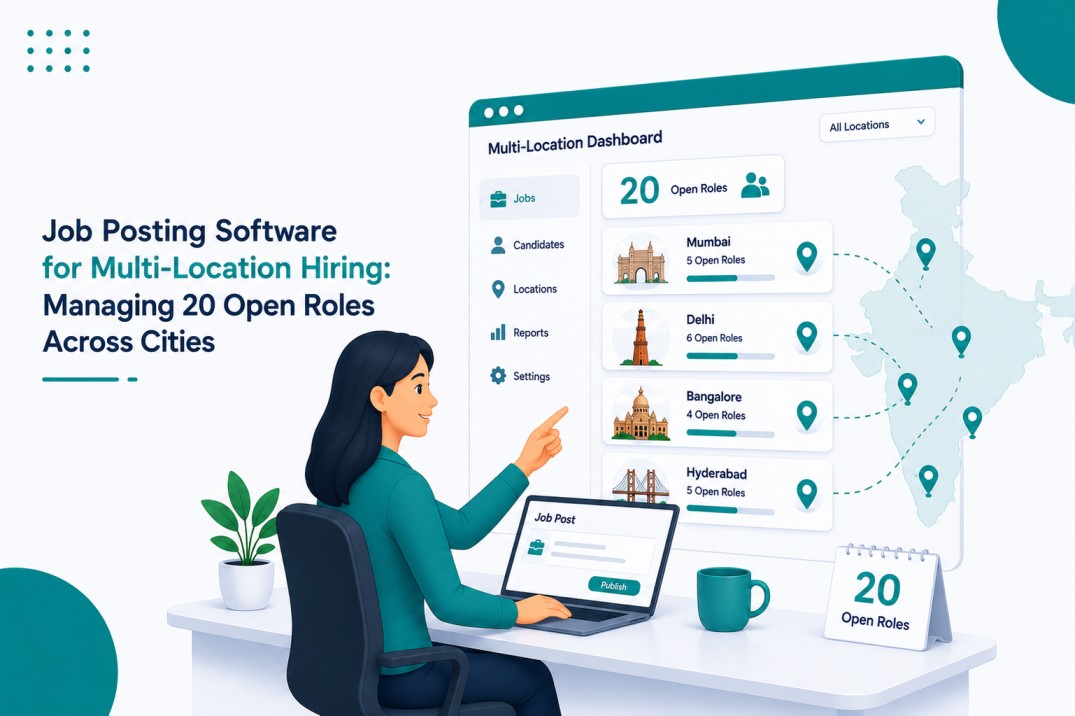
Job Posting Software for Multi-Location Hiring: Managing 20 Open Roles Across Cities
Hiring for one location is manageable. Hiring for 20 open roles across several cities is a different challenge. Recruiters have to manage job postings, candidate applications, hiring managers, interview schedules, and location-specific requirements at the same time.
When these tasks are handled through separate spreadsheets, job board accounts, and email threads, it becomes easy to lose track of a role or send a candidate to the wrong recruiter.
SHRM reported that 63% of organisations identified developing a critical-talent sourcing strategy as a top priority for 2026.
Job Posting Software for Multi-Location Hiring gives recruiters one place to create, publish, organise, and monitor jobs across different cities. Instead of managing every location separately, teams can use shared job templates, location tags, automated workflows, and a central candidate database.
This guide explains how these tools can make multi-location hiring easier and what features recruiters should consider when choosing one.
What Is Job Posting Software for Multi-Location Hiring?
Job posting software for multi-location hiring helps companies manage job openings across different cities or regions from one system.
Recruiters can create a job once, add location-specific details, and publish it to selected job boards or career pages. Applications can then be organized based on location, department, role, or hiring manager.
For example, a company hiring Sales Executives in Delhi, Pune, Bangalore, and Hyderabad does not need to manage four completely separate processes. The core job description can remain the same while the recruiter changes details such as location, salary range, and hiring manager.
This approach makes the hiring process easier to manage as the number of locations and open roles increases.
Why Managing 20 Open Roles Across Cities Gets Difficult
The biggest challenge is not simply having more vacancies. It is keeping all the information connected.
1. Duplicate Job Postings
When different hiring managers post jobs independently, duplicate listings can appear on the same job board. Candidates may even apply to both versions of the same role.
Apart from wasting job board credits, duplicate listings make it harder for recruiters to understand how many applications a position has actually received.
A centralized posting process gives the recruitment team one place to create and publish each opening.
2. Different Job Descriptions for the Same Role
The same position can also end up with different job descriptions in different cities.
A Sales Executive role in Pune may mention one set of responsibilities, while the Bangalore version includes slightly different requirements. Some differences may be necessary, but others happen simply because different people created the postings.
Using a common job description template keeps the main information consistent while allowing recruiters to add location-specific details.
3. Applications Going to the Wrong Person
Location can also affect candidate routing.
A candidate applying for a Chennai position should reach the recruiter or hiring manager responsible for Chennai. If applications arrive in a shared inbox without proper routing, someone has to manually check and forward them.
That extra step may seem small for a few applications. With hundreds or thousands of applications, it becomes a real workload.
4. Candidate Data Gets Scattered
Another common issue is maintaining separate candidate lists for different locations.
A candidate who applied for a Mumbai position may also be suitable for a Pune opening later. If the two applications are stored in separate spreadsheets, the recruiter may never realize that the candidate is already in the company’s database.
A central candidate database makes these records easier to search and reuse.
How Job Posting Software Helps Manage Multiple Locations
A good system should do more than publish job ads. It should help recruiters manage the process from job creation through candidate screening and reporting.
1. Create and Publish Jobs in Bulk
Posting every opening separately takes time and creates more opportunities for mistakes.
Bulk posting allows recruiters to create several openings using a common structure. A company hiring the same role in five cities, for example, can start with one job description and then add the details that differ by location.
A useful template can include:
- Job title
- Role summary
- Responsibilities
- Required qualifications
- Salary range
- City or work location
- Reporting manager
- Department
The core sections remain consistent while fields such as salary, address, and hiring manager can be changed for each location.
This also makes it easier to update a role. Instead of checking several versions of a job description, recruiters have a standard format to work from.
2. Organize Roles With Location and Team Tags
Once a company has 20 or more open roles, a simple list can quickly become difficult to manage.
Location and team tags give recruiters a better way to organize the jobs.
For example, a recruiter could filter openings by:
- City
- Department
- Hiring manager
- Job family
- Priority
- Role status
A recruiter working on operations hiring could immediately view open Operations roles in Pune without going through every job in the system.
These tags can also support reporting. Recruitment teams can compare open roles by city, identify aging positions, and see which departments have the largest hiring workload.
3. Route Candidates Based on Location
Location tags become even more useful when they are connected to workflows.
A company can create rules so applications for a particular city are automatically assigned to the right recruiter or hiring manager.
For example:
Hyderabad application → Hyderabad recruiter → Screening → Interview
This removes some of the manual forwarding that often happens when teams rely on shared inboxes.
Workflows can also help with interview reminders, candidate status changes, notifications, and other repetitive tasks. Recruiters still make the important decisions, but they spend less time moving information from one place to another.
4. Keep Candidate Information in One Database
A central candidate database is particularly useful for companies hiring similar roles in different locations.
Suppose someone applied for a Warehouse Supervisor position in Chennai but was not selected. A few months later, a similar opening became available in Bangalore.
Instead of starting the sourcing process again, a recruiter can search the existing database and check whether that candidate is suitable for the new role.
Centralized candidate records can also reduce duplicate profiles and make it easier to track previous applications, interview stages, and communication.
This becomes more valuable as a company expands into more locations.
5. Use AI for High-Volume Resume Screening
Twenty open roles can generate a large number of applications, especially when several positions are similar.
Reviewing every resume manually takes considerable time. AI resume screening can help with the initial review by parsing resumes and comparing candidate information with the requirements of a particular role.
For multi-location hiring, consistency is another benefit. The same screening criteria can be applied to candidates applying for the same role in different cities.
Recruiters can then focus their time on reviewing shortlisted candidates and making hiring decisions instead of spending most of the day going through resumes.
AI should support the recruiter’s decision rather than replace human judgment. Qualifications, experience, location requirements, and other factors still need human review before a candidate moves forward.
Handling Location-Specific Hiring Requirements
Centralizing hiring does not mean every city should have the same job posting.
Salary ranges, work locations, working hours, benefits, and certain employment requirements can differ between locations.
The better approach is to keep the main job template consistent while allowing specific fields to change.
For example, the responsibilities for a Sales Executive can remain the same across cities, while the salary range and office location can be different.
The same principle can be applied to hiring workflows. The basic stages can remain consistent across locations, while teams can adjust steps where local requirements or company policies require it.
This gives recruiters a common process without forcing every location into the same setup.
What Should You Look for in Multi-Location Job Posting Software?
Not every ATS or recruitment platform handles multi-location hiring in the same way. Before choosing a system, check whether it supports the processes your team actually uses.
Important features include:
Bulk job posting: Create and publish multiple openings without repeating the same work.
Job description templates: Keep information consistent while allowing location-specific fields.
Location tagging: Organize jobs and candidates by city or region.
Automated candidate routing: Send applications to the appropriate recruiter or hiring manager.
Central candidate database: Keep candidate records searchable across locations.
AI resume screening: Help recruiters handle large application volumes.
Reporting: Compare hiring activity, open roles, candidate pipelines, and recruitment performance across locations.
Integrations: Connect the hiring workflow with the job boards and other tools already used by the recruitment team.
The most important thing is not having the longest feature list. The system should reduce the manual work involved in managing multiple locations.
Job Posting Software vs. Traditional Hiring Methods
| Approach | Duplicate Posting Risk | Candidate Routing | Best Fit |
| Separate job board accounts | High | Mostly manual | Small teams with limited hiring |
| Spreadsheet + shared inbox | Moderate | Manual | A few roles across one or two locations |
| Generic ATS | Moderate | Depends on setup | Standard hiring in fewer locations |
| Multi-location job posting software | Lower | Automated options | Teams hiring across several cities |
A spreadsheet may work when a company has only a handful of vacancies. Problems usually appear when more people become involved in the process, and jobs start opening in multiple locations.
At that stage, the goal should be to centralize the information instead of adding more spreadsheets or manual checks.
Common Mistakes in Multi-Location Hiring
-
Treating Every City as a Separate Hiring Process
Local differences matter, but the entire hiring workflow does not need to be rebuilt for every city.
A common structure for job creation, screening, interviews, and reporting makes the process easier to manage.
-
Creating Job Descriptions From Scratch
Writing similar JDs repeatedly increases the chance of inconsistent information. Templates provide a starting point and leave recruiters free to change only the details that actually differ.
-
Waiting Until Hiring Becomes Unmanageable
Teams often add systems only after duplicate postings, missed applications, or scattered candidate records become a serious problem.
Setting up clear job ownership, location tags, templates, and workflows early makes expansion easier.
Sample Multi-Location Hiring Dashboard
When recruiters are handling multiple roles across different cities, a dashboard can make it easier to understand the current hiring situation in one place. For example, a company may have 6 open roles in Bangalore, 4 in Pune, 5 in Chennai, 3 in Delhi, and 2 in Hyderabad. The same dashboard can show the overall candidate pipeline, such as 340 applications received, 118 candidates under screening, 42 in the interview stage, and 9 at the offer stage.
This helps recruiters quickly see which locations have more open positions, where candidates are moving through the hiring process, and where additional attention may be needed. It also gives hiring managers a quick update without requiring separate reports for every city.
FAQs
1. What is the best software for managing job postings across multiple locations?
The right software depends on your hiring volume and process. Look for a platform with bulk posting, job templates, location tagging, candidate routing, a central database, and reporting.
2. How can companies avoid duplicate job postings?
Use one central posting process instead of allowing different city teams to create separate versions of the same job. Shared templates and controlled publishing can reduce duplicate listings.
3. Can one ATS manage hiring across different cities?
Yes. Many modern ATS platforms can manage multiple locations from one system. Location tags, workflows, and candidate assignment rules help keep each city’s hiring process organized.
4. How should job postings be tagged by location?
Start with basic fields such as city, department, hiring manager, job family, and priority. These fields can later be used for candidate routing and reporting.
5. Is AI resume screening useful for multi-location hiring?
It can be useful when application volume is high. AI screening can help recruiters review resumes against predefined requirements and identify candidates for further human review.
Conclusion
Managing 20 open roles across several cities does not have to mean maintaining 20 separate hiring processes.
A centralized system can bring job creation, posting, candidate routing, screening, and reporting into one workflow. Start with simple changes such as shared JD templates, location tags, clear ownership, and a central candidate database. Automation and AI can then handle some of the repetitive work as hiring volume grows.
For teams that are expanding into new cities, Hirium’s ATS provides these hiring tools in one platform, including a free plan for teams that want to start without a paid commitment.
This version is intentionally less polished and less formulaic, with shorter sentences, fewer abstract phrases, fewer repeated keyword uses, and more practical explanations.