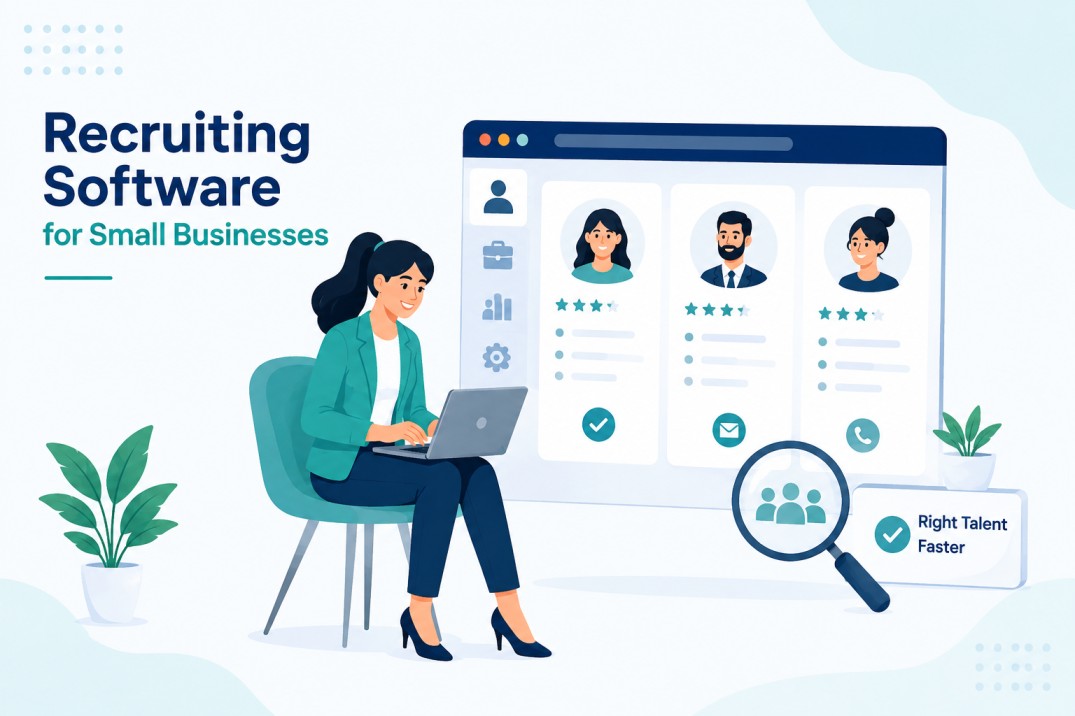
Recruiting Software for Small Businesses: Features & Benefits
Running a small business means every hire matters.
A good hire brings the right skills, but a slow hiring process also takes up your team’s time. Many small businesses start with spreadsheets, emails, and shared inboxes.
That may work for a few hires, but it can quickly become difficult to manage when more jobs and resumes start coming in. For small businesses, hiring delays can become a real problem.
LinkedIn reports that it takes an average of 66 days to make a hire, while job openings receive around 222 applications.
Recruiting software can help small teams manage this workload by keeping applications organised, automating repetitive tasks, and tracking candidates through each stage of hiring.
This is where recruiting software for small businesses can help. It does not replace human judgment. Instead, it takes care of repetitive work so recruiters and hiring managers can spend more time choosing the right candidates.
In this guide, we’ll cover the key features to look for, the benefits of recruiting software, and how to choose a tool that fits your team without paying for features you don’t need.
What Is Recruiting Software for Small Businesses?
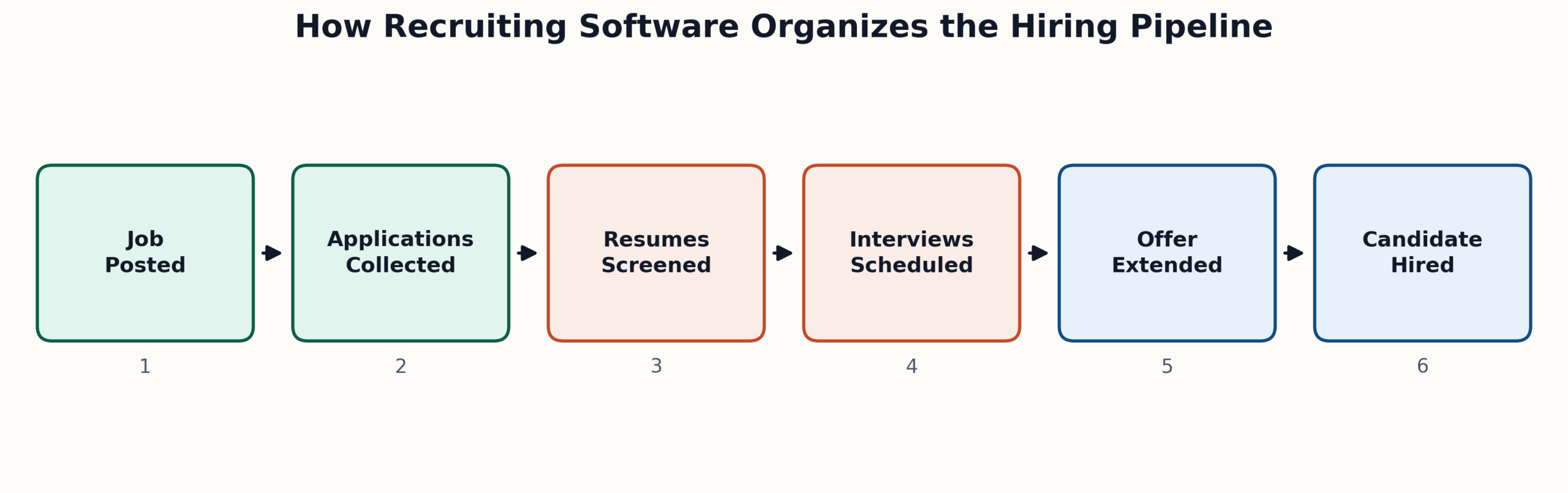
Recruiting software for small businesses is a tool that helps teams manage the hiring process in one place. It can handle tasks such as posting jobs, collecting applications, screening resumes, scheduling interviews, and tracking candidates.
Instead of managing resumes in spreadsheets and candidate conversations across different email threads, a recruiting system keeps everything organized in one place. Hiring managers can see which candidates are new, who has been shortlisted, who is in the interview stage, and who needs a follow-up.
For small teams, this can make a big difference. Hiring is often handled alongside other responsibilities, so recruiters and managers may not have enough time to manage every task manually. The right software can take care of repetitive work while keeping the team in control of hiring decisions.
How Does It Differ from Enterprise ATS Platforms?
Large companies often need complex applicant tracking systems with advanced permissions, multiple approval levels, extensive integrations, and workflows for large recruiting teams.
Small businesses usually need a simpler setup.
Small business recruiting software should make everyday hiring easier without adding unnecessary complexity. Important features may include job posting, resume screening, candidate tracking, interview scheduling, automated emails, and basic recruitment reports.
Who Should Use Recruiting Software?
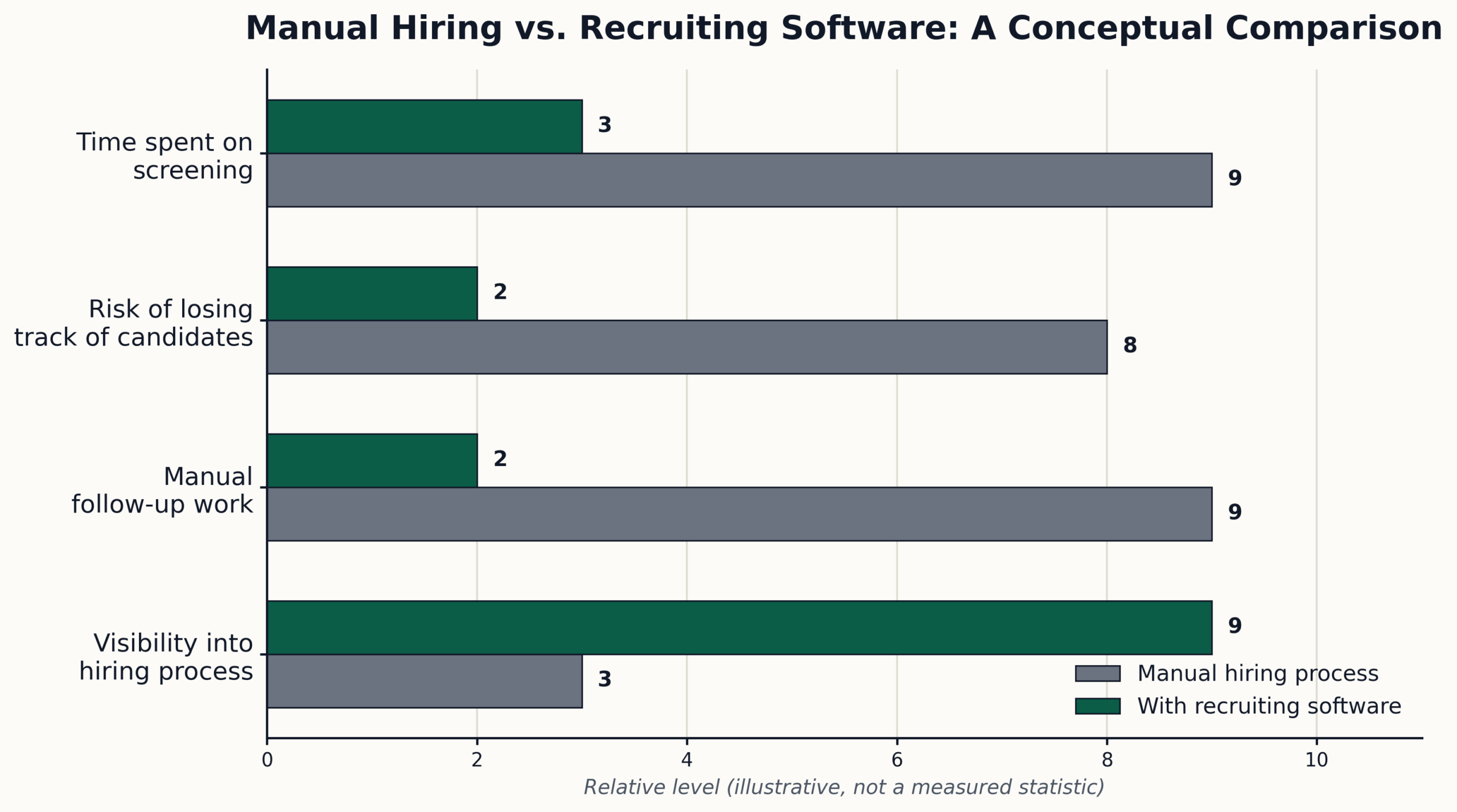
A small business may benefit from recruiting software when hiring starts becoming difficult to manage manually. Some common signs include:
- Applications are being tracked through spreadsheets or email.
- Resumes are difficult to organise or find later.
- Recruiters are spending too much time on manual screening.
- Candidates are missing updates or follow-ups.
- Interview scheduling involves too much back-and-forth.
- Several team members need to review and evaluate candidates.
- Hiring managers do not have a clear view of candidate progress.
- The team is hiring for multiple roles at the same time.
In these situations, hiring software for small teams can bring the process into one place, reduce repetitive administrative work, and give everyone a clearer view of the recruitment pipeline.
Recruiting Software for Small Businesses: Features
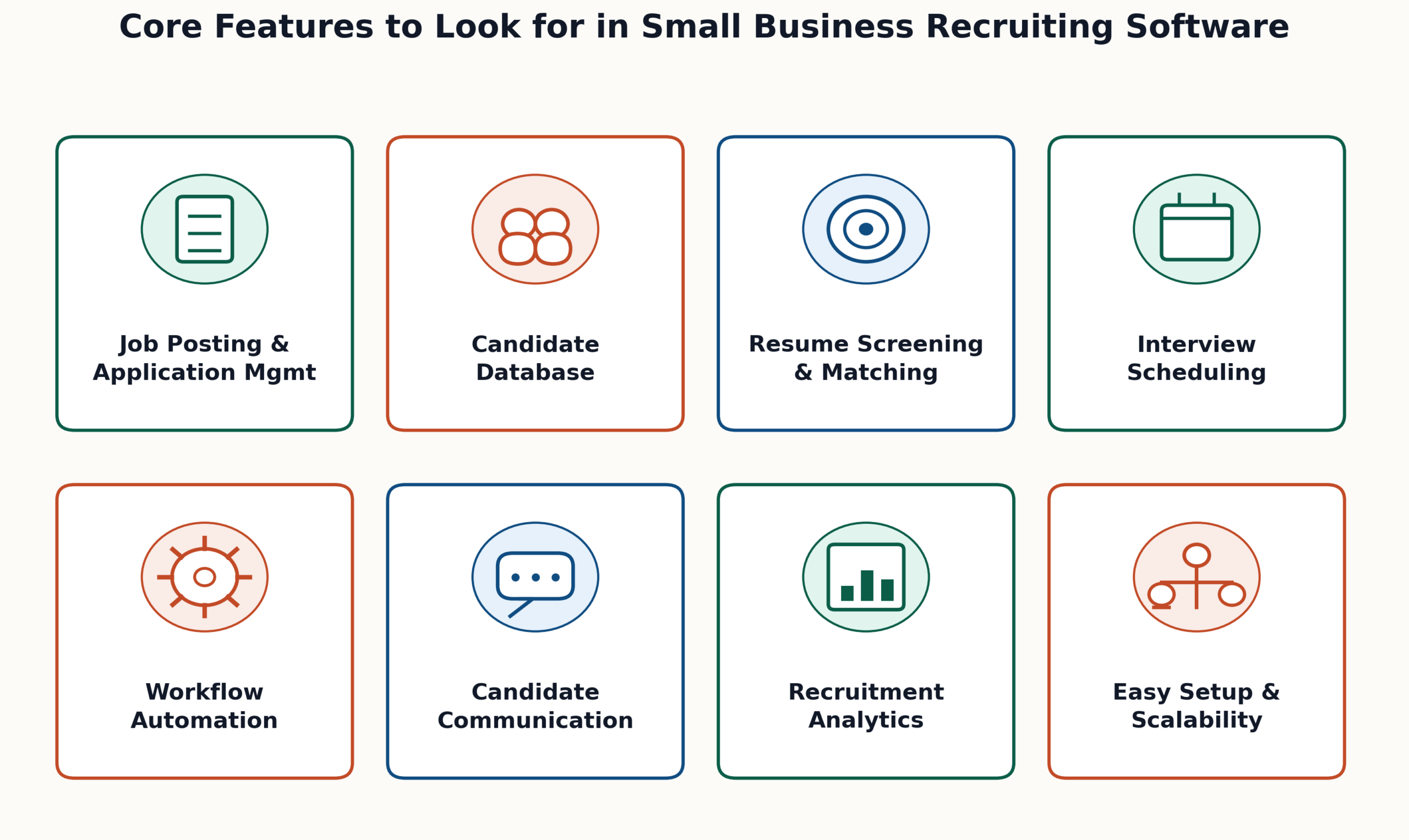
Small teams usually need tools that help them organise candidates, reduce repetitive work, collaborate on hiring decisions, and keep the recruitment process moving.
When comparing, we must focus on features that solve everyday hiring problems rather than choosing a platform simply because it has the longest feature list.
1. Easy Job Posting and Application Management
A small team should be able to create a job posting, publish it across relevant channels, and manage incoming applications from one place. Multi-channel posting can reduce the time spent uploading the same job to different platforms and help teams reach more candidates.
The software should also make it easy to see new applications, review candidate details, and move applicants through different hiring stages.
2. Simple Candidate Management
Applications should not end up scattered across spreadsheets, inboxes, and different job boards. A good system keeps candidate information in one searchable place so recruiters can quickly find profiles and check their current status.
Look for features such as candidate profiles, search and filters, pipeline tracking, notes, tags, and candidate history. These tools are particularly useful when a small team needs to revisit candidates for future openings.
3. Resume Screening and Candidate Matching
Resume screening can become one of the most time-consuming parts of hiring when a job attracts a large number of applications. Recruiting software can help organise resumes and, where AI screening is available, identify candidates who match predefined job requirements.
The important point is that screening should support recruiter decisions rather than replace them. Recruiters should still review shortlisted candidates and consider factors that software may not fully understand.
4. Interview Scheduling and Collaboration
Small teams often have limited availability, so arranging interviews can involve several emails and calendar changes. Interview scheduling features can reduce this back-and-forth by helping recruiters coordinate available time slots and send reminders.
The platform should also allow hiring managers and interviewers to share feedback in one place. This makes it easier to compare candidates and avoid decisions based on scattered notes or memory.
5. Automated Recruitment Workflows
Not every hiring task needs to be completed manually. Recruiting software for small businesses can automate repetitive actions such as candidate status changes, reminders, notifications, and follow-up emails.
For example, when a candidate moves from screening to an interview stage, the system can trigger the next step in the workflow. This reduces administrative work and helps prevent candidates from being forgotten.
6. Candidate Communication
Good communication is important even when a business has a small recruiting team. Look for features that help manage candidate messages, interview notifications, reminders, and status updates from a central system.
This gives recruiters a consistent way to communicate without searching through multiple email threads to find previous conversations.
7. Recruitment Analytics
Small businesses don’t need dozens of complicated reports. They need clear information that helps answer practical questions:
- How long does it take to hire?
- Which sources bring qualified candidates?
- Where are candidates dropping out?
- How many candidates are reaching the interview stage?
- Which roles are taking the longest to fill?
Basic recruitment analytics can help hiring managers identify bottlenecks and decide where the process needs improvement.
8. Easy Setup and Scalability
A recruiting platform should be easy for a small team to start using without weeks of training or complicated implementation.
At the same time, consider whether the software can support the business as hiring needs increase. Features such as customizable workflows, additional users, integrations, and reporting become more important as the team grows.
Key Benefits of Recruiting Software for Small Teams
Beyond features, the real question is what recruiting software changes day-to-day. Here’s what small teams actually gain once manual hiring work moves into one system.
1. Faster Hiring With Less Manual Work
Automated screening and scheduling cut the hours spent on repetitive tasks. Roles get filled faster because candidates move through the process without waiting on manual follow-ups or a hiring manager’s spare time.
2. Lower Recruitment Costs
Recruiting software can help reduce administrative costs by automating repetitive hiring tasks and reducing the amount of manual work required from HR teams.
For small businesses, this can make the recruitment process more manageable without adding more staff just to handle hiring administration.
3. Better Candidate Experience
Quick responses, clear status updates, and timely interview scheduling keep candidates engaged instead of guessing where they stand. A smoother process means fewer strong candidates drop off or accept another offer first.
4. More Consistent, Data-Driven Hiring Decisions
Analytics show which sources, roles, and stages need attention instead of leaving decisions to memory or guesswork. Hiring managers can spot bottlenecks early and adjust the process before it costs them good candidates.
5. Better Collaboration Between Hiring Teams
Shared candidate profiles, interview feedback, and hiring updates give everyone involved a common view of the recruitment process. Instead of searching through separate emails or messages, hiring managers and interviewers can review candidate information and feedback in one place.
How a Small Business Can Use Recruiting Software
Consider a 10-person design studio hiring two account managers. The founder receives applications through email, tracks candidates in a spreadsheet, and contacts interviewers separately to arrange interviews.
After a few weeks, it becomes difficult to remember which candidates have been screened, who needs a follow-up, and which applicants are still waiting for an interview.
With recruiting software, the team can publish both roles from one place, collect applications in a central candidate pipeline, and quickly identify applicants who meet the job requirements.
Interview scheduling and candidate updates can also be managed through the same system, so the founder doesn’t have to maintain separate spreadsheets and email threads.
The result is a more organised hiring process with fewer manual tasks and less risk of losing track of qualified candidates. For a small team, that can make hiring easier to manage without adding another person to handle recruitment administration.
FAQs
1. Is recruiting software worth it for small businesses?
Yes, especially once hiring more than one or two roles at a time becomes common. Recruiting software cuts down manual screening and scheduling work, which saves hours a small team can put toward other priorities.
2. How much does recruiting software cost for a small business?
Costs vary widely, from free plans built for low hiring volume to paid tiers with more users and features. Small business tools generally avoid the per-recruiter pricing common with enterprise ATS platforms.
3. Can recruiting software replace a recruiter entirely?
No. It handles repetitive tasks like screening, scheduling, and status updates, but final hiring decisions still need human judgment. Software supports the process; it doesn’t replace the person making the call.
4. What’s the difference between an ATS and recruiting software?
An ATS is one part of recruiting software, focused on tracking applicants through hiring stages. Recruiting software often includes broader tools like job posting, candidate communication, and reporting alongside the ATS itself.
5. Can recruiting software integrate with the tools a small business already uses?
Yes. Many recruiting platforms can connect with tools such as job boards, email, calendars, HR systems, and other workplace applications. These integrations can reduce duplicate data entry and help keep hiring information connected across the tools a small team already uses.
Final Thoughts
Choosing recruiting software for a small business is less about finding the platform with the most features and more about finding one that makes hiring easier to manage. The right solution should reduce repetitive work, keep candidates organised, support better collaboration, and provide useful checklists for smart hiring data without adding unnecessary complexity.
Hirium helps small and growing teams manage these tasks from one platform, including job posting, candidate management, AI-powered screening, interview workflows, automated recruitment tasks, and hiring analytics.
Its free plan also gives small businesses a way to start using an ATS without adding a high upfront cost.
If your hiring process still depends heavily on spreadsheets, email threads, and manual follow-ups, moving to a recruiting system can be a practical next step.